
How multilingual WhatsApp agents capture after hours bookings
The agent books inside the 24 hour window the guest opens
A multilingual WhatsApp agent captures after hours bookings by replying the moment a message lands, in the language it was written in, while Meta's 24 hour customer service window is open. Inside that window it can hold a normal conversation and book the slot. Outside it, Meta only allows approved template messages, and those two rules shape the whole design.
The original version of this post argued that a missed overnight enquiry does not disappear, it goes to whoever replied first. That is still the point, and nothing here puts a percentage on it, because there is no published recovery rate we could verify. What can be verified is how the platform works, and that turns out to decide most of whether an after hours agent books anything at all.
If booking requests sit unread on WhatsApp overnight, we can show you what an agent would do with them. Book a call with GenovaFlow AI
The 24 hour window decides what the agent may send
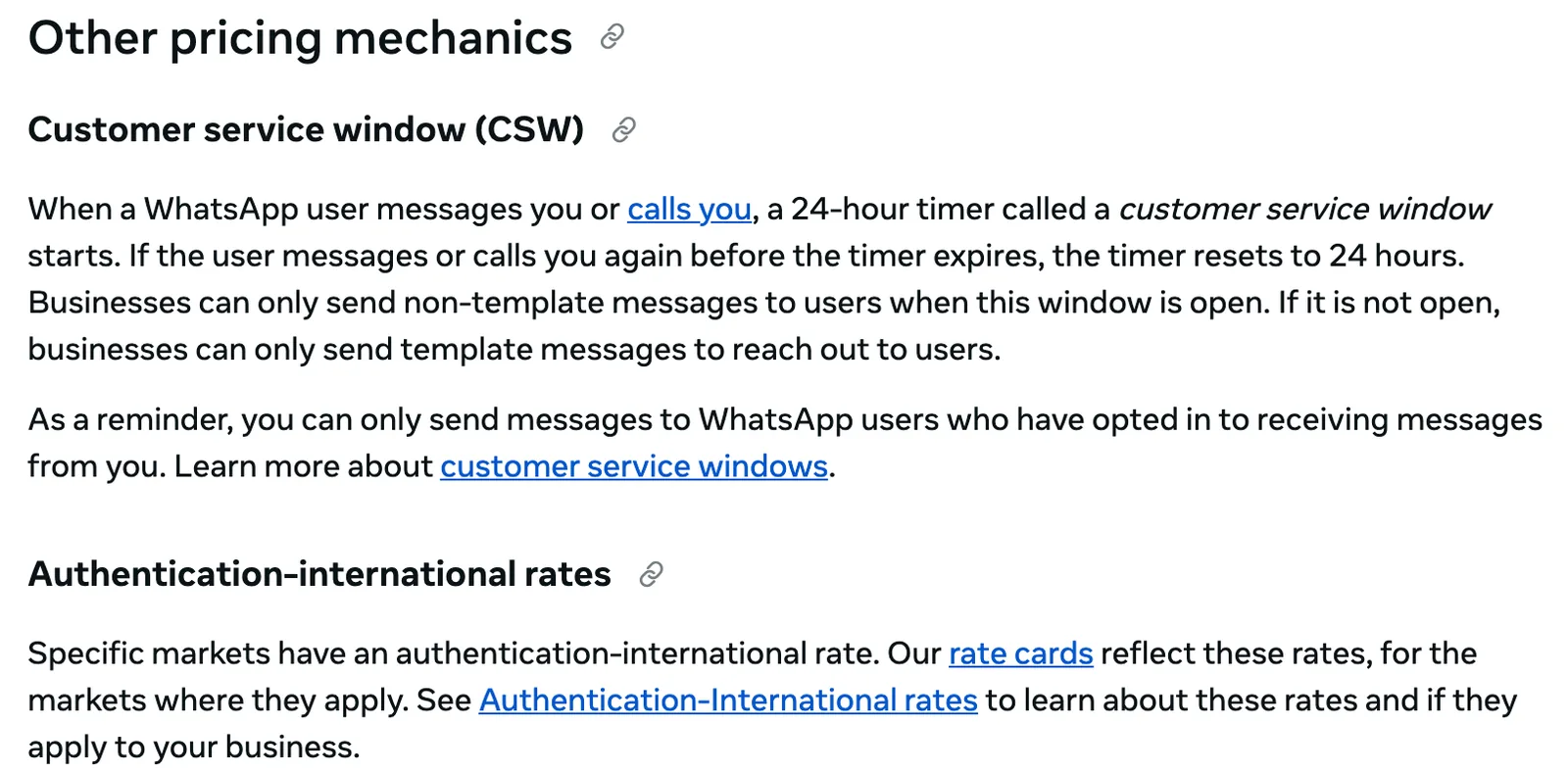
Meta's pricing documentation states the rule plainly: when a WhatsApp user messages or calls a business, a 24 hour timer called the customer service window starts, and every new message from the user resets it. While the window is open, the business can send free form replies, which Meta calls non template messages. Once it closes, only template messages can reach the user.
For a booking request at 1am this is good news. The guest wrote first, so the window is open and the agent can ask what it needs (dates, party size, room type or treatment), check availability and confirm, all as an ordinary chat. The window only matters at the edges. A guest who goes quiet and comes back two days later reopens it by writing again, but a reminder the business wants to send on its own initiative after the window has closed has to be a template.
The same page reminds businesses that they can only message WhatsApp users who have opted in to receiving their messages. An agent that answers people who wrote to you first is on the right side of that line. An agent that starts conversations needs the opt in recorded before it sends anything.
Templates are approved in advance, and each language is its own template
Templates are the messages you write ahead of time for the moments outside the window: a confirmation the next morning, a reminder the day before, a follow up after a stay. Meta's template documentation says each one must be categorised as authentication, marketing or utility, is reviewed automatically when it is created or edited, and must have the status APPROVED before it can be sent.
This is where multilingual gets practical. "Template strings and variables are not translated by Meta," the documentation says, so you supply the wording in every language you serve, and each language version counts against your template limit. That limit is 250 templates per account for a business portfolio that is not verified, and up to 6,000 for a verified one with an approved display name.
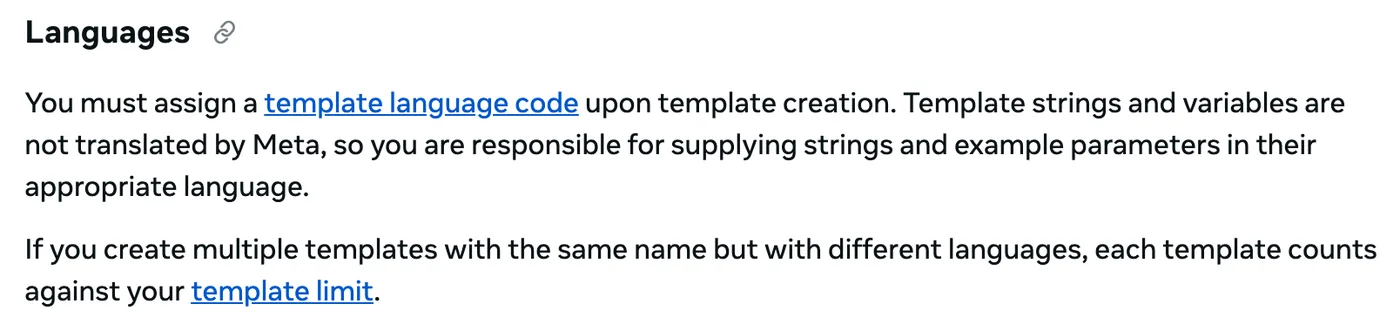
Inside the window none of this applies. The agent can reply in whatever language the guest used, because a free form reply is not a template. So the language work splits in two: the live conversation, where the model handles the language, and the short list of templates, where a person writes and checks each translation once. We prefer that person to be a native speaker, because a template goes out unchanged every time it is sent.
Translation is no longer the hard part; tone is. A good agent keeps the register your brand already uses, warm for a boutique hotel and precise for a clinic, in every language it answers in, so the guest never feels routed through a machine.
Meta charges per message, and some free messages ended in October 2026
Meta has priced the WhatsApp Business Platform per delivered message since 1 July 2025, replacing the older per conversation model, and the rate depends on the message category and the country code of the recipient. Messages that users send to the business are not charged, according to the pricing page.
The change that matters most for an agent took effect on 1 October 2026. Service messages, the free form replies inside the window, are now free only up to a monthly allowance: each business phone number gets 1,000 free service messages a month, and Meta charges from the 1,001st. Utility templates sent inside an open window became billable on the same date. Both details are on Meta's pricing page, last checked on 23 October 2026.
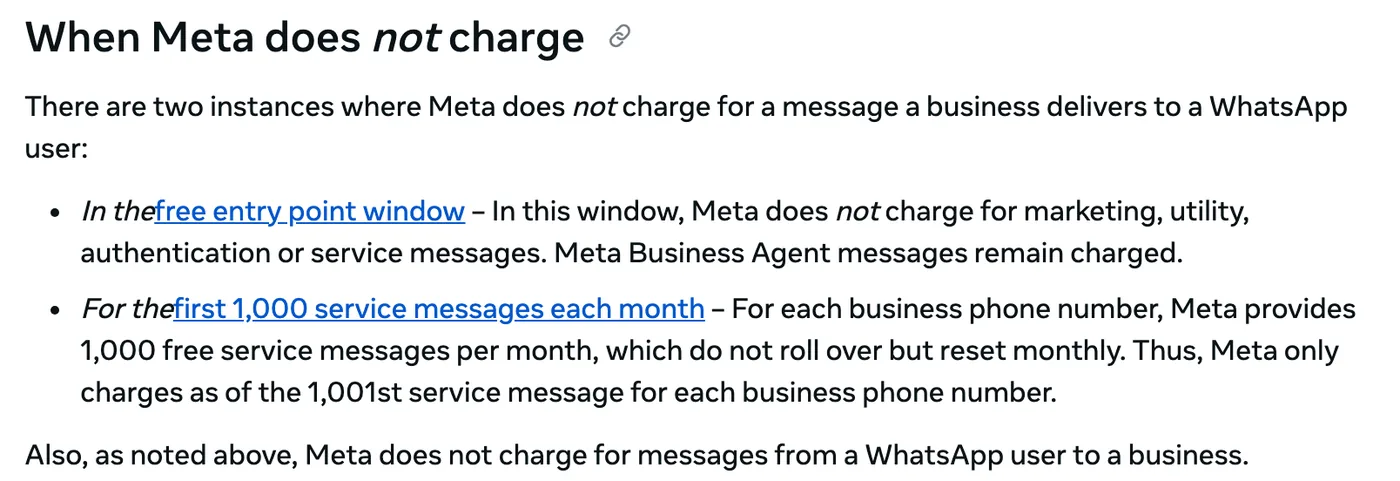
Meta does not charge at all inside a free entry point window, which opens when someone messages you from a click to WhatsApp ad in the Android or iOS app. Messages from Meta's own Business Agent product stay charged even there. The rates themselves are in Meta's rate cards by market, and the same page says Meta changes them only on the first day of a quarter.
Meta's terms also have a section on AI providers. Section 4.7 of the Meta terms for the WhatsApp Business Platform bars providers whose AI is the primary function of what they offer through WhatsApp, rather than incidental to it, and Meta decides which side a service falls on. A booking agent answering for your own hotel or clinic is the incidental case, because the business is the hotel. If you are building an AI product for other companies, read that section and Meta's separate pricing policy for AI providers before you start.
What a booking agent on WhatsApp does overnight
- Replies within seconds, in the language of the message, in your brand's register.
- Asks only what the booking needs: dates, number of guests or the treatment, and a name.
- Checks live availability in your calendar, booking system or PMS, and offers real slots rather than guesses.
- Books the slot and confirms it in the same chat, while the window is open.
- Offers the relevant extra if you have one, such as a late checkout, without pushing.
- Hands the conversation to a person, with the transcript, when something needs judgement.
Step three separates an agent that books from one that only chats. It needs a live connection to the system that holds availability, which is what what plugs into your stack means covers. Step six needs rules written before launch, not after the first complaint, and when an AI agent should hand off to a human goes through them.
The example on our AI chat agents page is a guest who writes in Portuguese at 1am about availability and a late check in. The agent answers in Portuguese, checks availability, books into the PMS and offers the late checkout before a competitor's front desk opens. The same shape works for viewing requests, covered in AI in real estate, and for appointment requests at clinics, where anything clinical goes straight to staff.
Three things to settle before switching it on
First, the templates. Write the confirmation, reminder and follow up messages in each language you serve and get them approved before launch, because the agent cannot improvise them once the window has closed. Second, the handoff: decide who receives escalations at night and what the guest is told while they wait for a person.
Third, the volume. Count your monthly chats against the 1,000 free service messages per number on Meta's pricing page, so the October 2026 change is in your budget rather than a surprise on the invoice. If phone calls are the bigger leak, the same overnight math applies to calls, and AI voice agent vs a human receptionist walks through it. More posts on this are in AI agents for business.
Questions people ask
What is the 24 hour window in the WhatsApp Business API?
It is the customer service window. When a user messages or calls a business, a 24 hour timer starts, and each new message from the user resets it. While it is open, the business can send free form replies. When it closes, only approved template messages can be sent. Meta defines it on its WhatsApp pricing page.
Is the WhatsApp Business API free?
Not entirely. Messages users send to you are free, and each business phone number gets 1,000 free service messages a month. From the 1,001st service message, and for marketing, utility and authentication templates, Meta charges per delivered message at rates that vary by country. Messages in a free entry point window opened from a click to WhatsApp ad are free, except Meta Business Agent messages.
What is a WhatsApp template message?
A message you write in advance, categorise as marketing, utility or authentication, and submit to Meta for automatic review. Only templates with the status APPROVED can be sent, and they are the only messages that can reach a user outside the 24 hour customer service window. Meta does not translate them, so each language needs its own template, as the template docs explain.
Can a WhatsApp chatbot reply in multiple languages?
Yes. Inside the 24 hour window replies are free form, so an AI agent can answer in the language the customer wrote in. Templates are different: Meta does not translate them, so every language needs its own approved template, and each language version counts against your account's template limit.
Sources
Keep reading
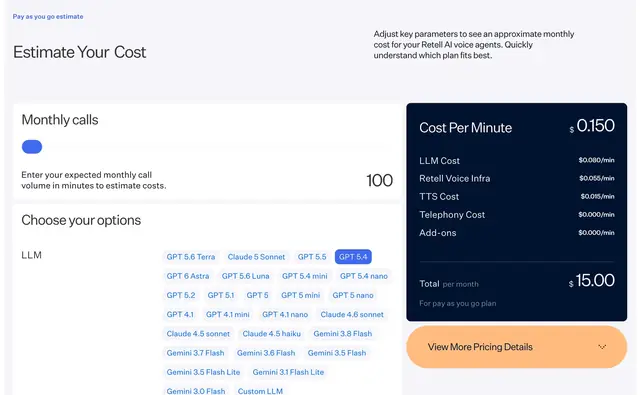
AI voice agent vs a human receptionist: the cost math
A US receptionist costs about $55,330 a year with benefits; a voice agent bills $0.14 to $0.17 a minute. The math, with every input linked to its source.
Read the post
When should an AI agent hand off to a human?
Hand off when the agent keeps failing, when an action is risky or cannot be undone, or when the customer asks. What OpenAI, Anthropic and vendors say.
Read the post
What "plugs into your stack" means for AI agents
APIs, webhooks, OAuth and MCP are how an AI agent reads, acts and writes back in your CRM, calendar and helpdesk. What each one does and what to ask.
Read the post