
n8n AI Agent node: model, memory and tools explained
The AI Agent node needs a model and a tool, and memory is optional
n8n's AI Agent node is a chat model that calls tools in a loop until it has an answer. It needs a chat model sub node and, according to n8n's AI Agent docs, at least one tool; memory is optional, but it is what lets the agent hold a conversation. A System Message steers it, and Max Iterations, 10 by default, caps how many times the model runs.
That loop is what makes it an agent rather than a single prompt. The model reads the request, decides whether a tool would help, asks for it, reads the result and goes round again, the pattern explained in what agentic AI is and how it differs from a chatbot. In n8n the model, the memory and each tool are separate sub nodes attached to the agent.
If you learned from older tutorials, one setting has gone. The agent type setting was deprecated in n8n 1.82.0 and every AI Agent node now works as a Tools Agent, while version 1 of the node, the one that still has the setting, is due to be removed in n8n 3.0, according to the AI Agent node page. The docs sidebar still lists the old Conversational, OpenAI Functions, Plan and Execute and ReAct agents, each marked Deprecated, so a guide that asks you to pick one of them is describing the old node.
We built one of these agents on video: a Telegram assistant whose AI Agent node runs a Gemini chat model with Simple Memory, a Think tool, a Gmail tool and a Google Sheets tool, written up as a Gemini voice agent for Telegram in n8n. This post explains the node underneath that build, setting by setting.
If you are planning an agent that will answer your customers, we can help you choose its tools, memory and limits before it goes live. Book a call with GenovaFlow AI
The prompt says what to do now, the system message says how to behave
Every run of the agent starts from two pieces of text. The Prompt (User Message) is the request for this run, and the System Message is the standing instruction sent before it, which the Tools Agent docs describe as a message sent to the agent before the conversation starts, to guide its decisions.
The prompt has two sources. Take from previous node automatically expects an input field called chatInput, which the Chat Trigger provides, while Define below lets you build the text with an expression from any earlier node. When the workflow starts from something else, such as a Telegram message or a webhook, the first setting finds nothing, and the AI Agent common issues page lists the two errors that follow: “No prompt specified”, fixed by switching to Define below, and “Internal error: 400 Invalid value for 'content'”, which means the prompt expression resolved to null.
The system message is where you shape behaviour, so write it like a short job description: what the agent is for, what it must never do, and which tool answers which kind of question. The Telegram build shows why the detail matters. Without a line telling the agent it could write the email subject and body itself, it kept asking for them before sending anything.
Four options decide how far the agent goes and what it returns
These options in the Tools Agent docs are worth setting before an agent goes near a customer:
- Max Iterations sets how many times the model may run to reach a good answer, 10 by default. It is a ceiling on cost and on loops, not a target.
- Return Intermediate Steps adds the steps the agent took to its output, so you can see which tool was called and with what input.
- Require Specific Output Format asks you to connect an output parser, such as the Structured Output Parser, so the answer arrives in a fixed shape.
- Enable Streaming sends the answer back while it is being generated. It is on by default and needs a trigger that can stream, the Chat Trigger, or a Webhook set to stream its response.
The Structured Output Parser matters most when the agent's answer feeds another node. You give it either an example JSON object, from which n8n builds a schema and treats every field as mandatory, or a JSON Schema you write yourself, which may not use $ref references, per the Structured Output Parser docs.
One more control sits on the tools connector rather than in the options list. Human review for tool calls lets you require approval before the agent runs specific tools: you choose an approval channel such as Chat, Slack or Telegram, connect the risky tools to it, and the workflow pauses until someone approves or denies the call, as the same Tools Agent page describes. Our guide on when an AI agent should hand off to a human helps you decide which actions deserve that pause.
Memory is a short window of messages, filed under a session ID
Memory is what lets the agent answer “and what about Tuesday?” after you asked about Monday. Without a memory sub node every run starts empty, and n8n's page on how memory works notes that agent nodes can use memory while AI chains cannot. The Tools Agent page adds the limit in one line: memory doesn't persist between sessions.
Simple Memory is the easiest to start with and the one with the most surprises. Its Context Window Length, the number of past interactions the model receives, defaults to 5 in the node's source code, and its Session ID defaults to Connected Chat Trigger Node, which looks for a field called sessionId coming from a directly connected Chat Trigger. The Simple Memory node file shows where the history lives: in a map inside the running n8n process, keyed on the workflow and the session, and any session left idle for one hour is deleted.
Three practical consequences follow. A workflow that starts from Telegram, WhatsApp or your own website widget has no Chat Trigger sessionId, so set Session ID to Define below and use something stable from the incoming message, such as the chat ID or the sender's number. A conversation that pauses for more than an hour comes back to an empty memory. And the Simple Memory docs warn not to use the node at all when n8n runs in queue mode, because n8n can't guarantee every call reaches the same worker.
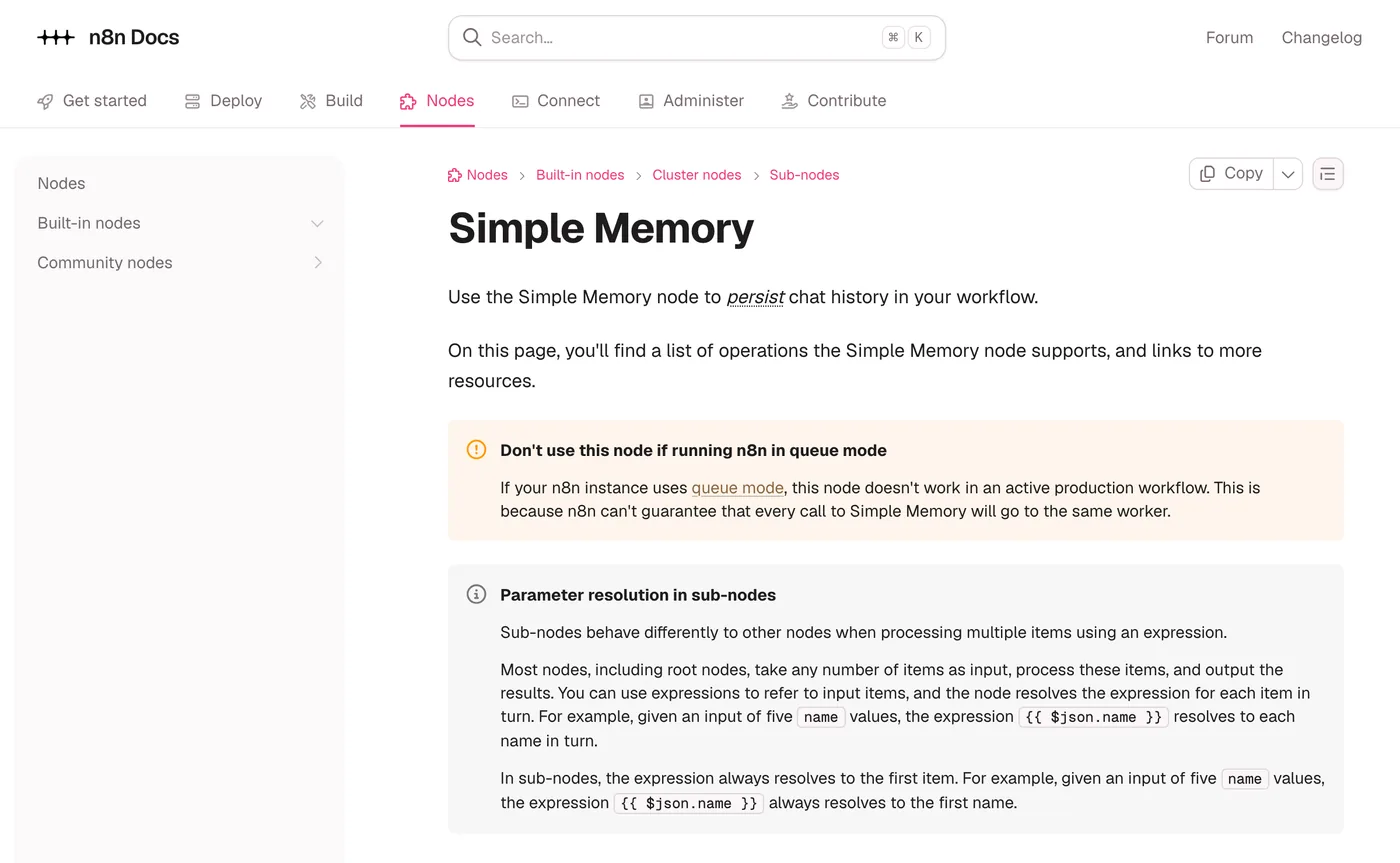
For an agent that talks to customers, a database backed memory is the safer choice. Postgres Chat Memory keeps the history in a table that it creates if the table does not exist yet, and Redis Chat Memory adds a Session Time To Live in seconds, so old conversations expire on their own. The Postgres page also warns that every Postgres Chat Memory node in a workflow shares one memory instance by default, so give each agent its own session key if two of them should not read each other's history.
Tools are nodes the model can call, chosen by their descriptions
A tool is any node attached to the agent's tool connector. The Tools Agent implements LangChain's tool calling interface, which describes each available tool and its schema to the model, according to the Tools Agent docs, and the model picks the one that fits the request. That makes the description the field to write with the most care: if two tools sound alike, the model has to guess.
Three kinds of tool cover most builds. App nodes such as Gmail, Google Sheets or Slack attach as tools directly. The HTTP Request node can be attached as a tool to call any API, and it has a tool only option, Optimize Response, that trims the reply before the model reads it, down to selected JSON fields or to a maximum number of characters, 1,000 by default for HTML and text. The Call n8n Workflow Tool runs another whole workflow and returns its output, which is how you hand the agent an action of several steps as one tool. If that sub workflow is picked from your instance, it must be published, or production calls fail with “Workflow is not active and cannot be executed”.
Inside a tool, any parameter can be left to the model. The star button at the end of a field, Let the model define this parameter, writes the expression for you, and the $fromAI() function does the same by hand. Per n8n's Use AI for parameters page it takes a key of 1 to 64 characters (letters, numbers, _ and -), an optional description, a type of string, number, boolean or json, and an optional default value. It works only in tools connected to the agent, and not in the Code tool. Two examples from that page:
$fromAI('email')
$fromAI("numItemsInStock", "Number of items in stock", "number", 5)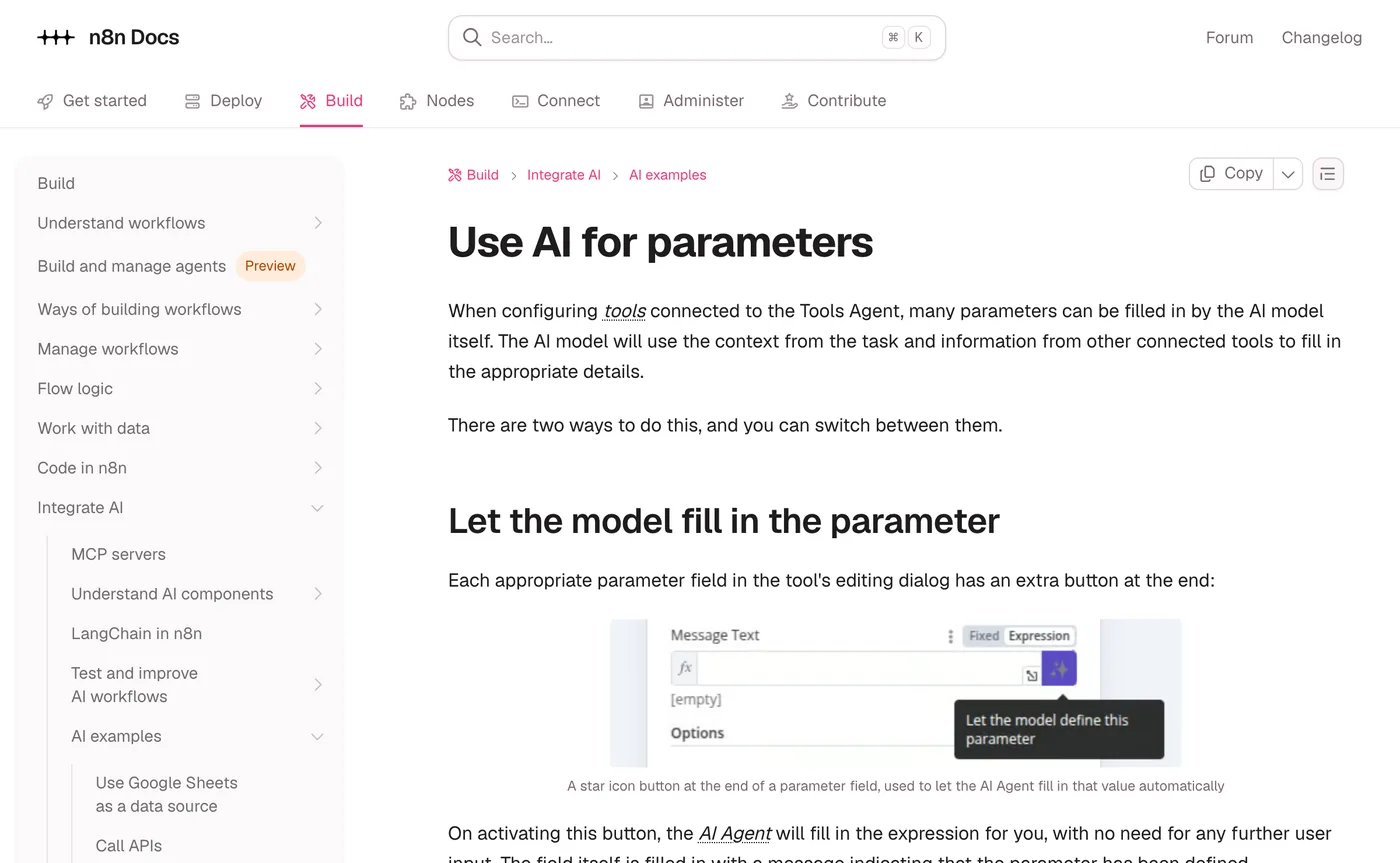
The Telegram build uses exactly this: its Gmail tool leaves Subject and Message to the model, with a short description such as “make up a subject that fits the request”, while the recipient stays fixed.
A worked example: a booking agent with two tools
Here is how those parts fit together in one design. It is an illustration, not a client build: a salon wants a chat on its website that answers questions and books appointments.
- A Chat Trigger in Embedded Chat mode receives each message. Every message runs the workflow once and counts against your executions, per the Chat Trigger docs.
- The AI Agent takes its prompt from the Chat Trigger and runs whichever chat model you choose.
- Postgres Chat Memory, keyed on the Chat Trigger's
sessionId, keeps each visitor's conversation in a database instead of in the n8n process. - Tool one is Google Sheets with Get Row(s), reading a sheet of free slots, described as “Read this to find free appointment slots. Use it before offering any time.”
- Tool two is a Call n8n Workflow Tool named
book_slot, whose sub workflow writes the booking and sends the confirmation, with the customer's name, phone number and chosen slot as inputs the model defines. - Human review is switched on for
book_slotfor the first weeks, so a person approves each booking before it is written.
The system message for that agent stays short and specific:
You book appointments for a hair salon.
Before offering a time, call the free slots tool. Never offer a time it did not return.
To book, collect the customer's name and phone number, repeat the slot back,
and call book_slot only after the customer says yes.
If the customer asks for a person or is unhappy, say a team member will reply.
Each line maps to a failure it prevents: offering a time that is not free, booking before the customer agreed, and arguing with someone who wants a person. Max Iterations can stay at its default here, because a booking needs one lookup and one booking call.
Why agents forget, loop or ignore their tools, and the fixes
Many agent problems in n8n trace back to the settings above rather than to the model. Google's suggestions for this topic include “not using tools” and “no session id found”, and each has a cause you can check.
It forgets what you said
The memory is either missing or never sees the same session twice. A common version of this is a custom website widget that does not send a sessionId with each message, so Simple Memory files every message under a new session. Set the session key to a stable value from the message, and for production move to Postgres or Redis Chat Memory, raising Context Window Length if conversations run long.
It loops or stops without an answer
An agent that runs out of iterations is often calling a tool that does not return what it needs. Turn on Return Intermediate Steps and read the calls before raising Max Iterations, because a higher ceiling only buys a longer loop. The usual fixes are a clearer tool description, a narrower tool, and Optimize Response on HTTP tools so the model is not reading a page of raw JSON.
It ignores its tools
The model picks a tool by matching the request to the tool's description, helped by what the system message says about when to use it. If both are vague, it may answer from what it already knows. Name each tool for its job, say in the system message which questions need which tool, and check that your chat model is one the Tools Agent page lists as supported.
It throws an error before it starts
The common issues page lists the setup errors. A Chat Model sub-node must be connected means exactly that. Error in sub-node Simple Memory often comes from an older Simple Memory version in a copied template, and removing the node and adding it back fixes it. The prompt errors are covered in the prompt section above.
If you run n8n yourself, an agent needs the same server as any other workflow, and hosting n8n on the Google Cloud free tier covers that setup; the rest of our n8n guides build on it. For answers drawn from your own documents, the Tools Agent can also take a Vector Store tool, the idea behind retrieval augmented generation. And if you would rather have an agent like this built around your own systems, that is what our custom AI agents service does.
Questions people ask
Why does an n8n AI agent forget what you said?
Usually the memory never sees the same session twice. Simple Memory files history under a session ID that, by default, comes from a connected Chat Trigger's sessionId field, so other triggers need Session ID set to Define below with a stable value such as a chat ID. It also keeps only the last 5 interactions by default (n8n source), clears sessions idle for an hour, and does not work in queue mode, so customer facing agents are better on Postgres or Redis Chat Memory.
Why is an n8n AI agent not using its tools?
The model chooses a tool from its name and description, so vague or overlapping descriptions can lead it to answer from what it already knows. Give each tool one clear job, say in the system message which questions need which tool, and turn on Return Intermediate Steps to see what it actually called. Also check that your chat model is on the supported list in the Tools Agent docs.
What is the difference between the AI Agent node and the Basic LLM Chain?
The Basic LLM Chain sets the prompt a model uses, with an optional output parser. The AI Agent must have at least one tool, decides for itself when to call them, and can use memory, which n8n's docs say AI chains cannot. Use the chain for a fixed step such as summarising or classifying text, and the agent when the next step depends on the answer.
What does "No prompt specified" mean in the n8n AI Agent?
The agent is set to take its prompt from the previous node automatically, which expects a chatInput field from a Chat Trigger, and it found none. This happens when the workflow starts from another trigger, such as Telegram or a webhook. Switch the Prompt parameter to Define below and point it at the incoming message text, as n8n's common issues page recommends.
How do you get JSON output from an n8n AI agent?
Turn on Require Specific Output Format in the AI Agent node and connect a Structured Output Parser. Give the parser an example JSON object, from which n8n builds a schema and makes every field mandatory, or write a JSON Schema yourself without $ref references. The next node then receives fields it can map directly instead of free text (Structured Output Parser docs).
Sources
- AI Agent node, n8n Docs
- Tools Agent, n8n Docs
- AI Agent node common issues, n8n Docs
- Simple Memory node, n8n Docs
- Simple Memory node source (MemoryBufferWindow.node.ts), n8n on GitHub
- Memory node descriptions (descriptions.ts), n8n on GitHub
- How memory works, n8n Docs
- Postgres Chat Memory node, n8n Docs
- Redis Chat Memory node, n8n Docs
- Use AI for parameters ($fromAI), n8n Docs
- Call n8n Workflow Tool node, n8n Docs
- HTTP Request node, n8n Docs
- Structured Output Parser node, n8n Docs
- Chat Trigger node, n8n Docs
Keep reading
Build a Gemini Voice Agent for Telegram in n8n
An n8n Telegram bot that transcribes voice notes with Gemini, answers with Gmail and Sheets tools and replies by voice, updated for current Gemini models.
Read the post
What agentic AI is and how it differs from a chatbot
Agentic AI is a model that picks its own next step and uses tools in a loop. How it differs from a chatbot or a workflow, with a worked example.
Read the post
Host n8n on the Google Cloud Free Tier with Docker
Run n8n in Docker on Google Cloud's free e2-micro VM with Nginx and a free Let's Encrypt certificate. Every command checked against the official docs.
Read the post