
Build a Gemini Voice Agent for Telegram in n8n

A Telegram agent you can talk to, built on free tiers
This n8n workflow turns a Telegram bot into an assistant you can type or talk to. Gemini transcribes voice notes, a Gemini agent answers and can send email through Gmail or read a Google Sheet, and Google Cloud's text to speech API speaks the reply back. In my video it ran at $0 on free tiers; two parts need updating for today's Gemini models.
The demo shows both routes. Typed, I asked the bot to email that I would be late, to look up December in a sample gym sheet and to name the highest mountain; it returned 300 members and 35,000 in revenue, sent the email and answered. Spoken, the same request for September came back as a voice note with 250 members and 30,000 in revenue from the sheet.
The video was recorded in July 2025, and the Gemini docs have moved since. This is what changed, checked on 23 October 2026:
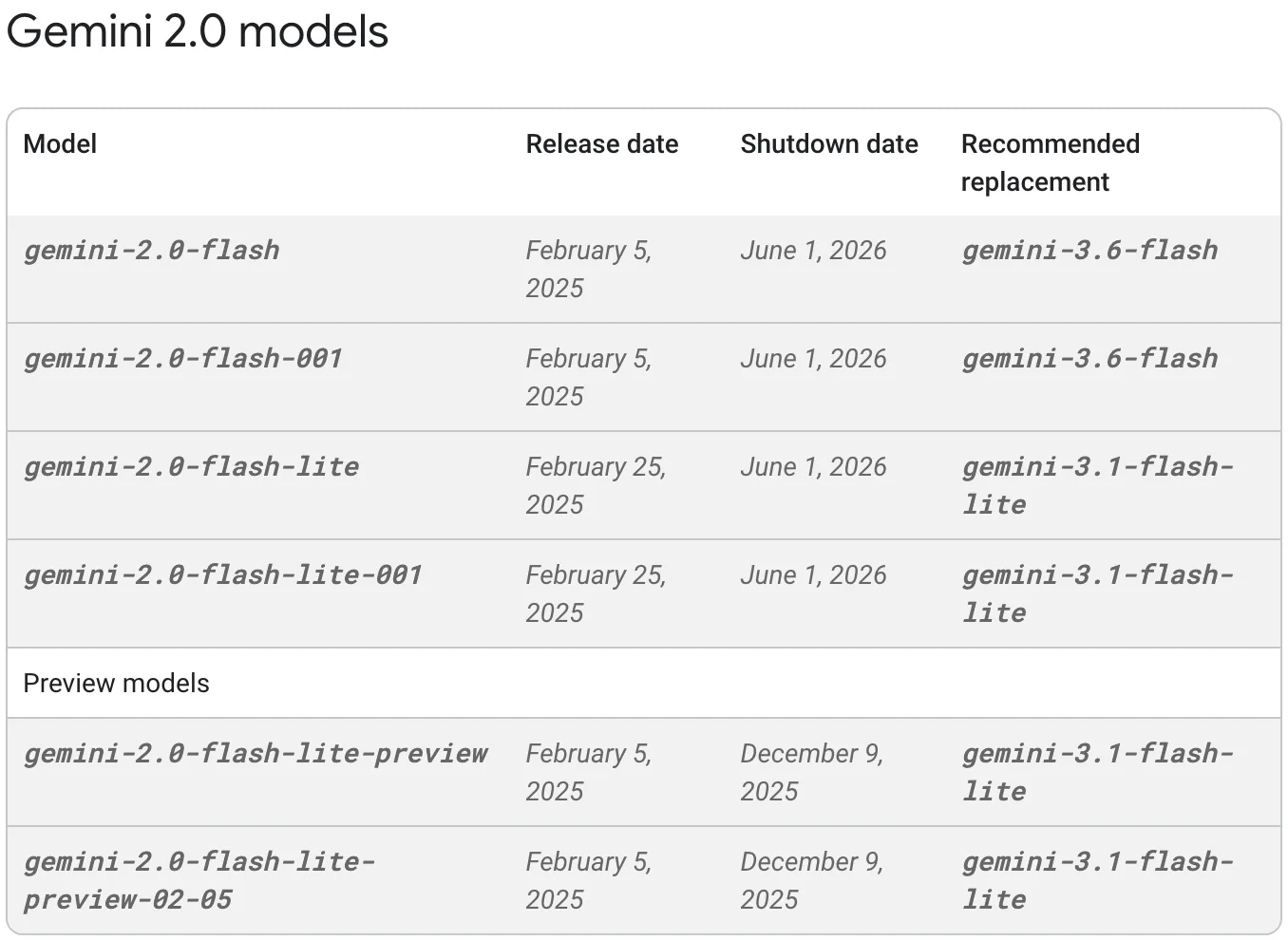
gemini-2.0-flash, the model the video uses for transcription, was shut down on 1 June 2026, according to Google's deprecations page.- n8n's Google Gemini node now has a Transcribe a Recording operation, which replaces the three HTTP requests the video uses for speech to text.
- Gemini 2.5 Flash, the agent's model in the video, still runs but is limited to accounts that already used it. Google points new projects to Gemini 3.8 Flash or 3.5 Flash Lite.
- The Gemini 1.5 models the video suggests as alternatives are no longer listed.
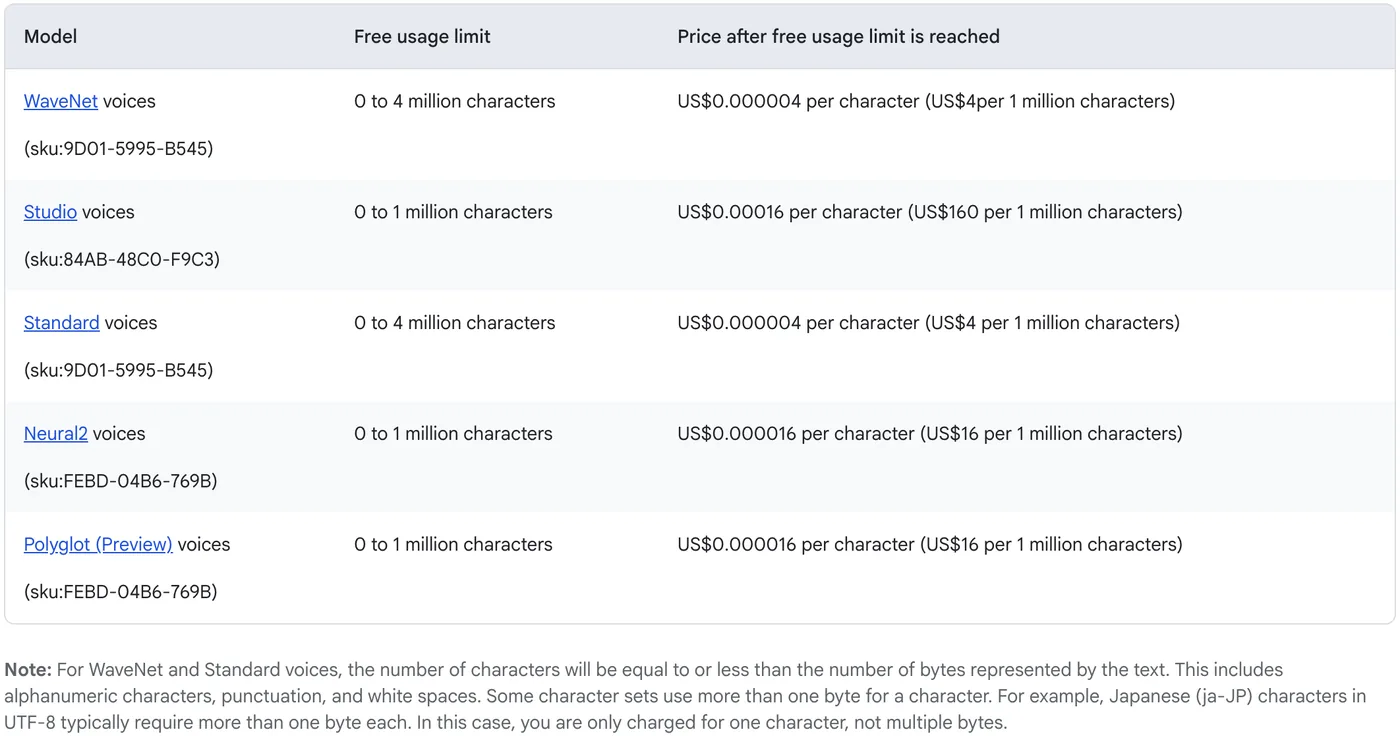
- Cloud Text to Speech now gives WaveNet voices 4 million free characters a month, not the 1 million mentioned in the video, per its pricing page.
The Telegram trigger only works on an n8n instance with a public HTTPS address. If you do not have one yet, set up n8n on the Google Cloud Free Tier first; the other n8n guides on this blog use the same server.
If you want this kind of voice and text agent working on your own customer messages, we can map it out together on a short call. Book a call with GenovaFlow AI
Two routes, voice and text, meet at one agent
Every message enters through one trigger, gets sorted by type, and both types reach the same AI agent as plain text. The reply then goes out the way the question came in. In node order:
- Telegram Trigger, on new messages, with file downloads switched on.
- A Set node that copies the typed text into a field called response message, to keep later expressions short.
- A Switch node: messages with a voice file ID go to the voice route, messages with text go straight on.
- Voice route: Telegram Get File downloads the recording, then Gemini turns it into text.
- The AI Agent, with a Gemini chat model, simple memory, a Think tool, a Gmail tool and a Google Sheets tool.
- An IF node that checks whether the original message was a voice note.
- Text reply: Telegram Send Message. Voice reply: text to speech, read the audio file from disk, Telegram Send Audio.
That split matters for cost. Everything up to the agent runs on the Gemini API's free tier with no billing account, while the spoken reply uses Google Cloud, which in the video needed a billing account even though the usage stayed inside the free allowance.
Step 1: create the bot and the Telegram trigger
In Telegram, open BotFather (the account with the blue check mark), send /start, then /newbot. Give the bot a display name and then a username. Telegram's BotFather docs say usernames are 5 to 32 characters long, may use only Latin letters, numbers and the underscore sign, and must end in bot, which is the error the video runs into first. BotFather then sends a token; anyone holding it controls the bot, so keep it private.
In n8n, add a Telegram Trigger, create a Telegram credential with that token and choose the Message event. Then switch on Download Images/Files: n8n's trigger docs describe it as including attached files in the output, which is how the voice note arrives as binary data the later nodes can send to Gemini.
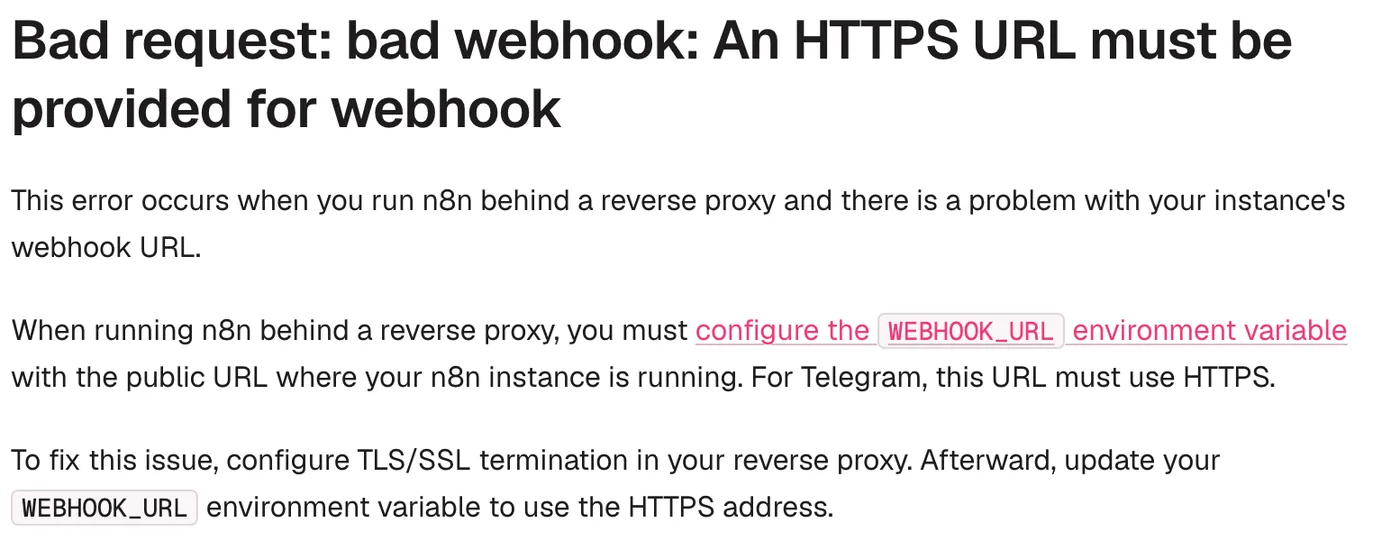
Two things trip people up here, both covered on n8n's Telegram trigger issues page. Telegram refuses a webhook that is not HTTPS, so an n8n on localhost or plain HTTP fails with the error above. And a bot has a single webhook, so while the workflow is published the test button stops receiving messages, and the other way round. Unpublish while you test, or make a second bot for testing.
Step 2: route voice and text, then transcribe with Gemini
The Switch node needs two rules. The voice rule checks that the trigger's message.voice.file_id field exists, because only voice notes carry one; the text rule checks that message.text exists. On the voice route, a Telegram node with resource File and operation Get takes that same file ID and downloads the recording as binary data.
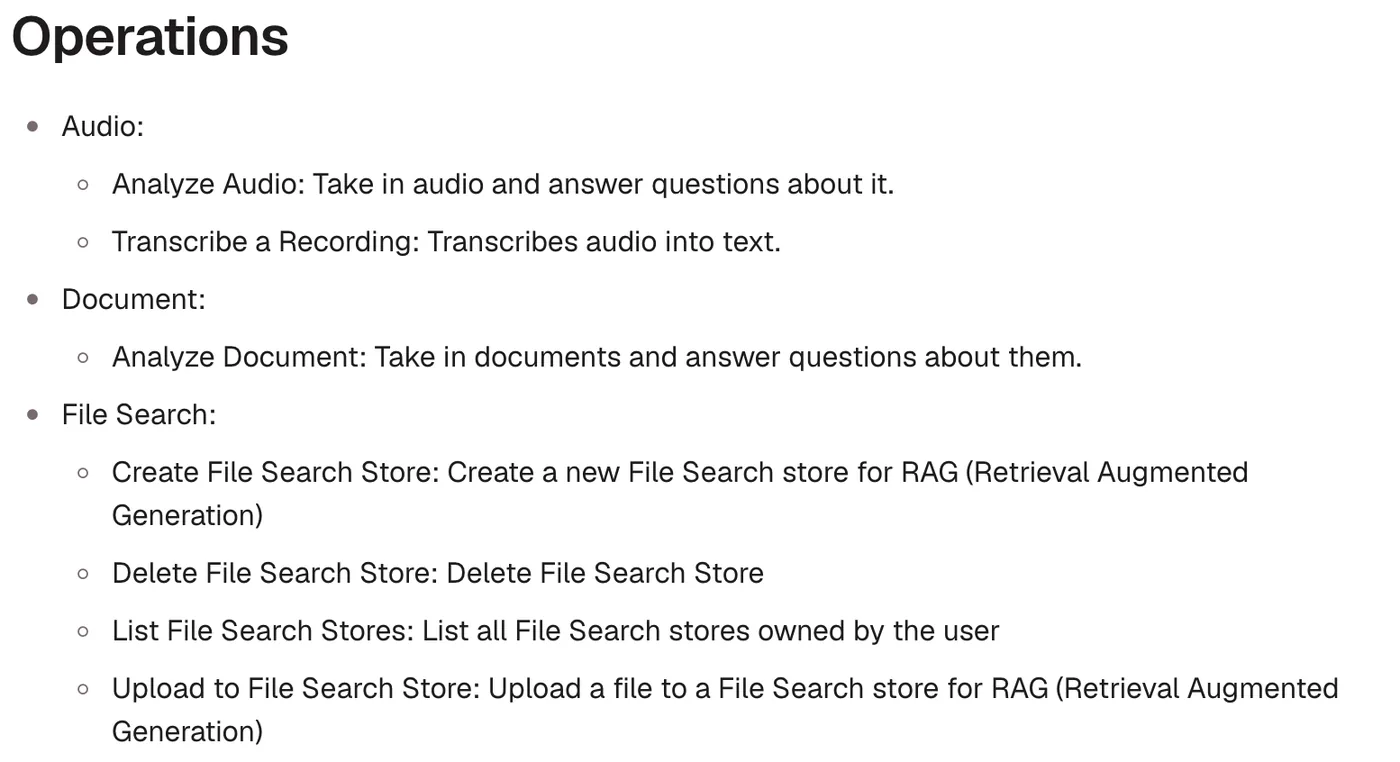
For the transcription, use n8n's Google Gemini node with the Audio resource and the Transcribe a Recording operation, which n8n's Gemini node docs describe as turning audio into text. It takes the binary file from the Get File node and uses a Gemini API key, which you create in Google AI Studio and save as a Google Gemini(PaLM) credential, as the credential docs explain.
Telegram voice notes are OGG files encoded with Opus, and Gemini's audio docs list both audio/ogg and audio/opus as supported input types, so no conversion is needed.
If you keep the video's HTTP requests
The video built the same step from three HTTP Request nodes against the Gemini Files API, and that route still works with one change. The upload uses the headers Google's Files API docs show today: X-Goog-Upload-Protocol: resumable, X-Goog-Upload-Command: start and the file's size and type, then a second request with X-Goog-Upload-Offset: 0 and X-Goog-Upload-Command: upload, finalize. Uploaded files are deleted automatically after 48 hours.
The change is in the third request. Its URL named gemini-2.0-flash, which no longer answers, so put a current model in the generateContent URL and keep the body:
POST https://generativelanguage.googleapis.com/v1beta/models/gemini-3.8-flash:generateContent

{
  "contents": [{
    "parts": [
      {"text": "Transcribe the following audio message"},
      {
        "file_data": {
          "mime_type": "audio/ogg",
          "file_uri": "FILE_URI_FROM_THE_UPLOAD"
        }
      }
    ]
  }]
}
Step 3: the Gemini agent with Gmail and Google Sheets tools
The AI Agent node gets its prompt from the previous node instead of the chat trigger. The system prompt in the video is short; in substance it says:
You are a helpful assistant. You can answer any question, or send emails
to the address set in the Gmail tool. You don't have to ask me each time
who the email is for, and you can write the subject and body yourself.
Use the Google Sheets tool for any question about the data in it, like the
total revenue or the number of members in a certain month.
Without the line about writing the subject and body, the agent keeps asking for them before it sends anything, as the video shows. For the chat model, the video picks Gemini 2.5 Flash. Google's deprecations page now says the 2.5 models are served only to accounts that already used them and recommend Gemini 3.8 Flash or 3.5 Flash Lite for new projects. Both are free of charge on the free tier of the Gemini API pricing page.
Free has two conditions. Free tier requests count against per model rate limits that you can see in AI Studio, per the rate limit docs, and the pricing page marks free tier content as used to improve Google's products, which matters if your sheet holds customer data.
Add a Simple Memory so the bot remembers the conversation and a Think tool so the agent can reason before answering. Then the two working tools:
- Gmail tool: resource Message, operation Send, your own address in To. For Subject and Message press the sparkle button that lets the model define the value, and give it a short description such as "make up a subject that fits the request". Under options, turn off Append n8n Attribution.
- Google Sheets tool: resource Sheet Within Document, operation Get Row(s). Pick the document from the list, by URL or by ID (the part of the sheet URL between
/d/and/edit), choose the sheet, and describe the tool as reading rows to answer questions about revenue or members by month.
Gemini's own speech models are free now, with one catch
Since the video, Google has added text to speech models to the Gemini API itself. gemini-3.8-flash-tts and gemini-3.8-flash-lite-tts are free of charge on the free tier of the Gemini API pricing page, so in principle the whole bot could run on one Gemini API key with no Google Cloud billing account.
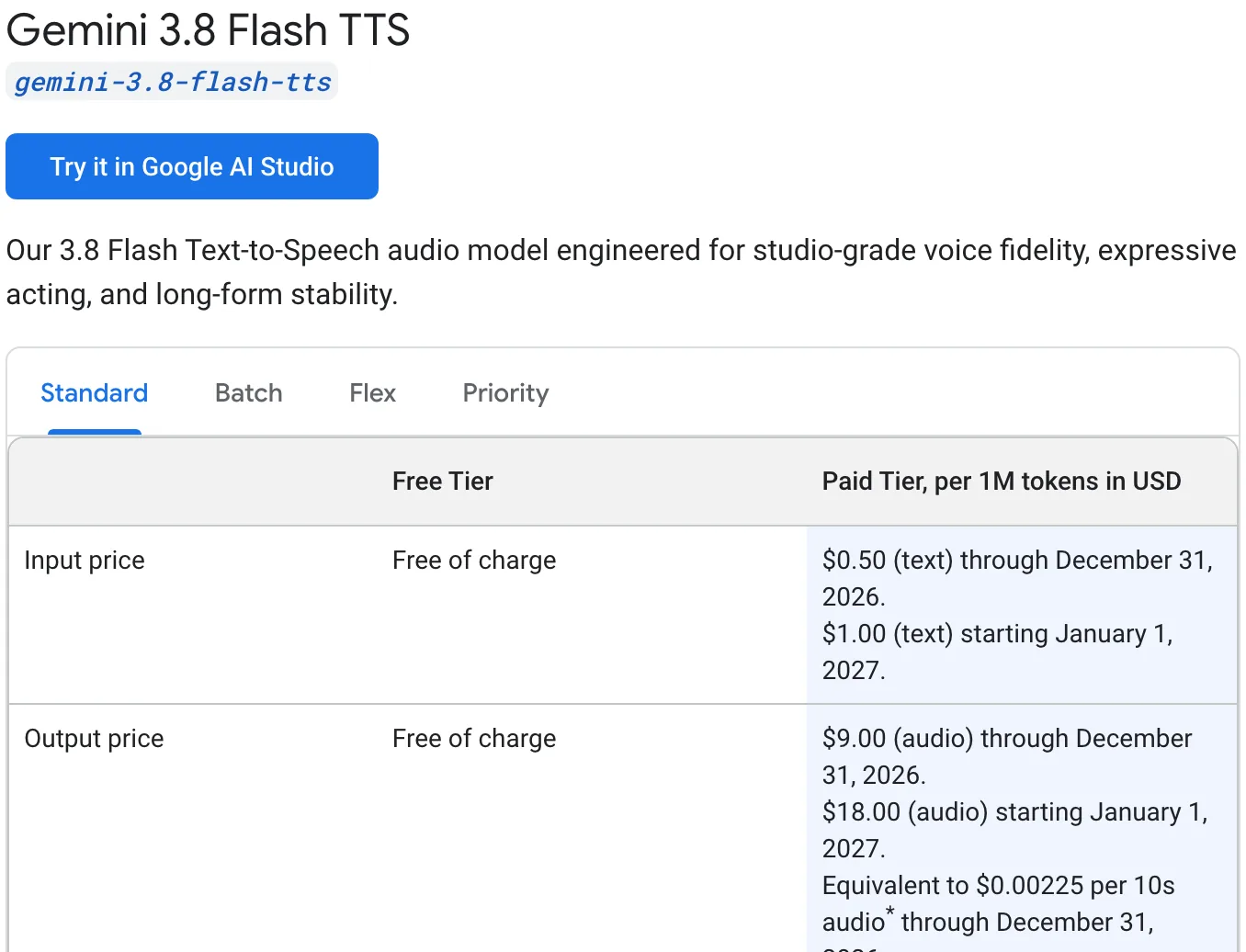
The catch is the file format. Google's speech generation docs say a normal request returns WAV audio at 24 kHz, and Telegram's voice method takes OGG Opus, MP3 or M4A. n8n's Gemini node also lists no speech generation operation, so you would call the API with an HTTP Request node and add a conversion step before Telegram. For a voice note reply today, the Cloud Text to Speech route with OGG Opus output stays the shorter path.
Google also lists a dedicated gemini-3.5-transcribe model with a free tier, built for speaker labels, word timestamps and custom vocabulary. For short voice notes to a personal bot, the Gemini node's transcription is enough.
When the bot does not answer
Most failures come from one of five places, roughly in the order a message travels:
- "An HTTPS URL must be provided for webhook": your n8n has no public HTTPS address. The Google Cloud hosting guide gives it one.
- The bot answers in testing but not once published, or the reverse: Telegram keeps one webhook per bot, so only one of the two URLs receives messages.
- Voice notes fail while typed messages work: the transcription step still names
gemini-2.0-flash. Switch to the Gemini node or a current model. - Requests stop working after a burst of messages: the free tier hit a rate limit. Check your limits in AI Studio.
- The spoken reply arrives as a music track: send it with
sendVoiceas described above.
The video ends by announcing a YouTube cross posting automation, which now has its own write up in YouTube cross posting with n8n, and AI automation tools for business operations puts agents like this one next to the other options. If you want a voice or chat agent like this answering your customers instead of you, GenovaFlow builds them as custom AI agents.
Questions people ask
Is the Gemini API free?
Yes, with limits. Current models such as Gemini 3.8 Flash and 3.5 Flash Lite are free of charge on the free tier of the Gemini API pricing page, up to per model rate limits shown in AI Studio. Free tier content is marked as used to improve Google's products, and setting up billing moves a project to the paid tier.
Why is my n8n Telegram trigger not working?
Usually because Telegram cannot reach n8n. Telegram only accepts an HTTPS webhook, so n8n on localhost or plain HTTP fails, and a bot has a single webhook, so the test and production URLs take turns, as n8n's Telegram trigger issues page explains. Host n8n with HTTPS and unpublish the workflow while you test.
Can n8n transcribe Telegram voice messages with Gemini for free?
Yes. Download the voice note with the Telegram Get File operation, then use the Google Gemini node's Transcribe a Recording operation with a free Gemini API key from Google AI Studio. Telegram voice notes are OGG Opus files, which Gemini's audio docs list as supported, so no conversion is needed.
How do I send a voice message from n8n to Telegram?
Produce OGG Opus audio, for example with Google Cloud text to speech, and send it as binary data. Telegram's Bot API uses sendVoice for playable voice messages and sendAudio for music player files. n8n's Telegram node has Send Audio, so for a true voice bubble call sendVoice with an HTTP Request node.
Is Gemini text to speech free?
On the Gemini API free tier, the gemini-3.8-flash-tts and gemini-3.8-flash-lite-tts models are free of charge, per Google's pricing page. They return WAV audio, so a Telegram voice reply needs a conversion step. Google Cloud's separate text to speech service gives 1 to 4 million free characters a month depending on the voice type.
Sources
- Gemini deprecations, Google AI for Developers
- Gemini Developer API pricing, Google AI for Developers
- Audio understanding, Gemini API docs
- Files API, Gemini API docs
- Speech generation (text to speech), Gemini API docs
- Rate limits, Gemini API docs
- Google Gemini node, n8n Docs
- Telegram Trigger node, n8n Docs
- Telegram Trigger common issues, n8n Docs
- Telegram node message operations, n8n Docs
- Community node risks, n8n Docs
- Telegram Bot API
- Bot features: BotFather, Telegram
- Cloud Text to Speech pricing, Google Cloud
- AudioEncoding reference, Cloud Text to Speech
- n8n-nodes-google-speech, npm
- Roles and permissions overview, Google Cloud IAM
Keep reading
Host n8n on the Google Cloud Free Tier with Docker
Run n8n in Docker on Google Cloud's free e2-micro VM with Nginx and a free Let's Encrypt certificate. Every command checked against the official docs.
Read the post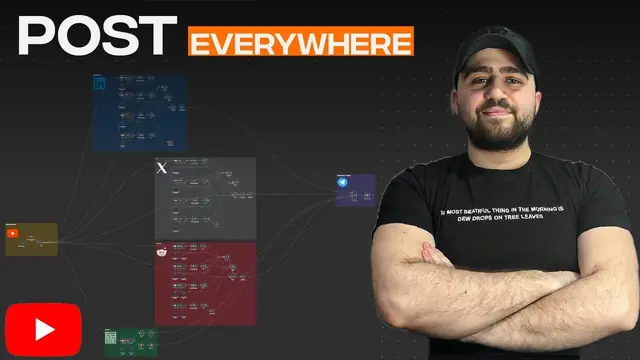
Turn one YouTube video into LinkedIn, X and Reddit posts with n8n
An n8n workflow that turns a YouTube video into LinkedIn, X, Reddit and blog posts, with a Telegram approval step before anything publishes.
Read the post
n8n vs Zapier vs Make for AI workflows, and where Claude Code fits
How n8n, Zapier and Make price AI workflows, what n8n's license lets you self host, and when a coded agent like Claude Code is the better tool.
Read the post