
AI agents vs automation: which one your business needs
Most businesses need the option between automation and an agent
Automation follows a path you drew in advance, and an AI agent chooses its own path toward a goal. For most business processes the right answer sits between the two: a fixed workflow with one AI step that sorts, extracts or drafts, with an agent kept for the few jobs where nobody can write the steps down. What you are really choosing is how much predictability to give up.
The two companies that build the models say the same thing. Anthropic's engineering team recommends "finding the simplest solution possible, and only increasing complexity when needed", and warns that agentic systems "often trade latency and cost for better task performance" (Building effective agents). OpenAI's guide ends its checklist for when to build an agent the same way: if a job shows none of its three signs, "a deterministic solution may suffice" (A practical guide to building agents, page 6).
This post is for the person who has been pitched an "AI agent" and has to decide whether to pay for one. If you want the definitions and the agent loop in detail first, read what agentic AI is and how it differs from a chatbot. Here the focus is the buying decision: what each option costs to run, how each one fails, and which everyday jobs belong to which.
If you have been quoted for an agent and suspect a workflow would do the job, we can look at it with you. Book a call with GenovaFlow AI
Three different things get sold as AI automation
Under the same label you can be sold three systems that behave very differently once they are running. The names below are ours; the definitions come from the vendors and their docs.
Plain automation runs the same steps every time
A trigger fires and fixed steps run, with no language model anywhere. A website form becomes a CRM record and a welcome email; an invoice lands in a folder and a row appears in a sheet. IBM describes traditional automation, robotic process automation included, as following "predefined rules and design patterns" and says this "can be sufficient for repetitive tasks that follow a standard structure" (IBM). There is no model bill and nothing to guess, which is why it should be your default.
A workflow with one AI step adds judgment at a single point
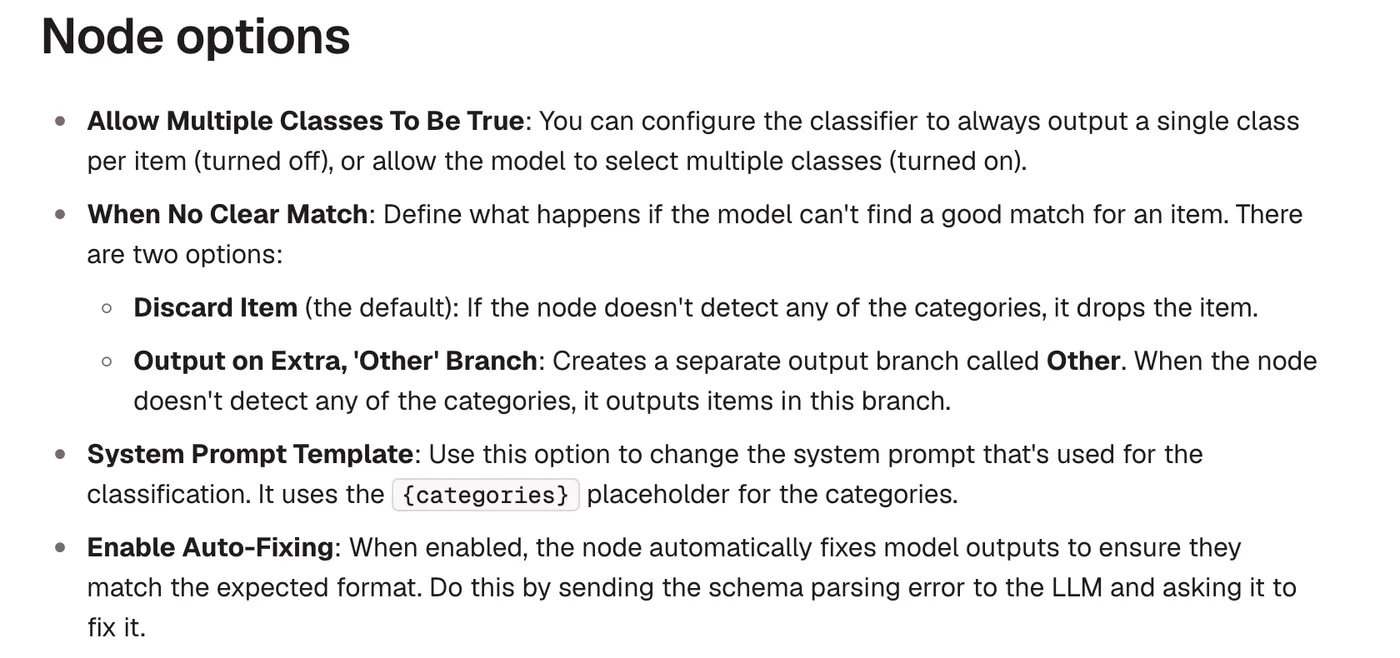
The steps are still fixed, but one of them asks a model to do what rules cannot: read a free text message and say what it is about, pull the amount and due date out of a scanned invoice, or draft a reply for a person to approve. In n8n that step is a node such as the Text Classifier, which sorts incoming items into categories you name and describe (n8n docs). The model picks a label, and the workflow, not the model, decides what happens next.
The detail that makes this safe is the fallback. The Text Classifier has a When No Clear Match option that either discards the item, which is the default, or sends it down a separate Other branch. Choose the Other branch and route it to a person, and an item the model cannot place never vanishes quietly. Anthropic's post makes the case for this middle option in plain terms: for many applications, improving a single model call with retrieval and a few examples is usually enough.
An agent picks its own steps toward a goal
An agent gets a goal, a set of tools and instructions, then decides its own next step in a loop until the job is done or something stops it. Anthropic's definition is that agents are "systems where LLMs dynamically direct their own processes and tool usage", while workflows are "orchestrated through predefined code paths" (Anthropic). That freedom is what lets an agent handle a request it has never seen in that exact form, and it is also what makes its behaviour harder to predict and to audit.
Plain automation is cheapest to run, and an agent is hardest to predict
Every step from plain automation toward an agent trades predictability for flexibility. The table puts the three side by side on what a buyer actually pays for. It summarises the sources linked here rather than measuring any single product.
| Plain automation | Workflow with one AI step | Agent | |
|---|---|---|---|
| Cost per run | The platform run only, no model bill | One model call per run | Several model calls per task, more on harder tasks |
| Predictability | Same input, same result | Fixed path, but one judgment can be wrong | The path can change from run to run |
| Audit trail | Every step logged by the workflow tool | Every step logged, plus the label the model chose | Each tool call must be logged on purpose |
| Upkeep | Rules updated by hand as cases change | Categories and prompt reviewed now and then | Tools, limits and tests on real cases |
| How it fails | Stops with an error you can see | Sends an item down the wrong branch, unless unclear items go to a person | Errors can compound across steps |
The cost row follows from the design. Anthropic notes that "the autonomous nature of agents means higher costs, and the potential for compounding errors" (Building effective agents). An agent that takes eight turns pays for eight model calls, and each call carries the conversation so far, the same mechanic behind cutting Claude Code token usage. What a model charges per token, and why the spread between models is so wide, is in how large language models differ.
Agents are less reliable than they look in a demo
Reliability is what separates a demo from a process you can leave running, and the published benchmarks are sobering. The tau bench paper tested agents in simulated conversations with a user and a set of tools, and found that even the best function calling agents of the time, gpt-4o among them, "succeed on <50% of the tasks" (Yao and colleagues, arXiv).
The more useful number for a business is consistency. The same paper introduced a measure called pass^k: the share of tasks an agent gets right on every one of k attempts at the same task. In its retail domain, pass^8 was under 25% (arXiv), so an agent that solves a task once may still fail it on one of the next seven tries. A plain workflow does not have this problem, because it does the same thing every time it runs.
A second benchmark points the same way on longer office work. TheAgentCompany, a simulated software company with consequential work tasks, found that "the most competitive agent can complete 30% of tasks autonomously", and that the harder, longer tasks were still out of reach (Xu and colleagues, arXiv). Both papers date from 2024 and models have improved since, so read them for the shape of the problem rather than as a current score.
That shape is what matters when you buy. A step that is right most of the time is fine when a person checks it or when a wrong answer is cheap, and risky when the agent acts alone on money, bookings or customer records. That is why OpenAI's guide tells teams to plan for human intervention when an agent exceeds a failure threshold or attempts a high risk action, such as cancelling an order, authorising a large refund or making a payment (OpenAI, page 31). Our post on when an AI agent should hand off to a human turns that advice into rules you can configure.
Match each job to the simplest option that can do it
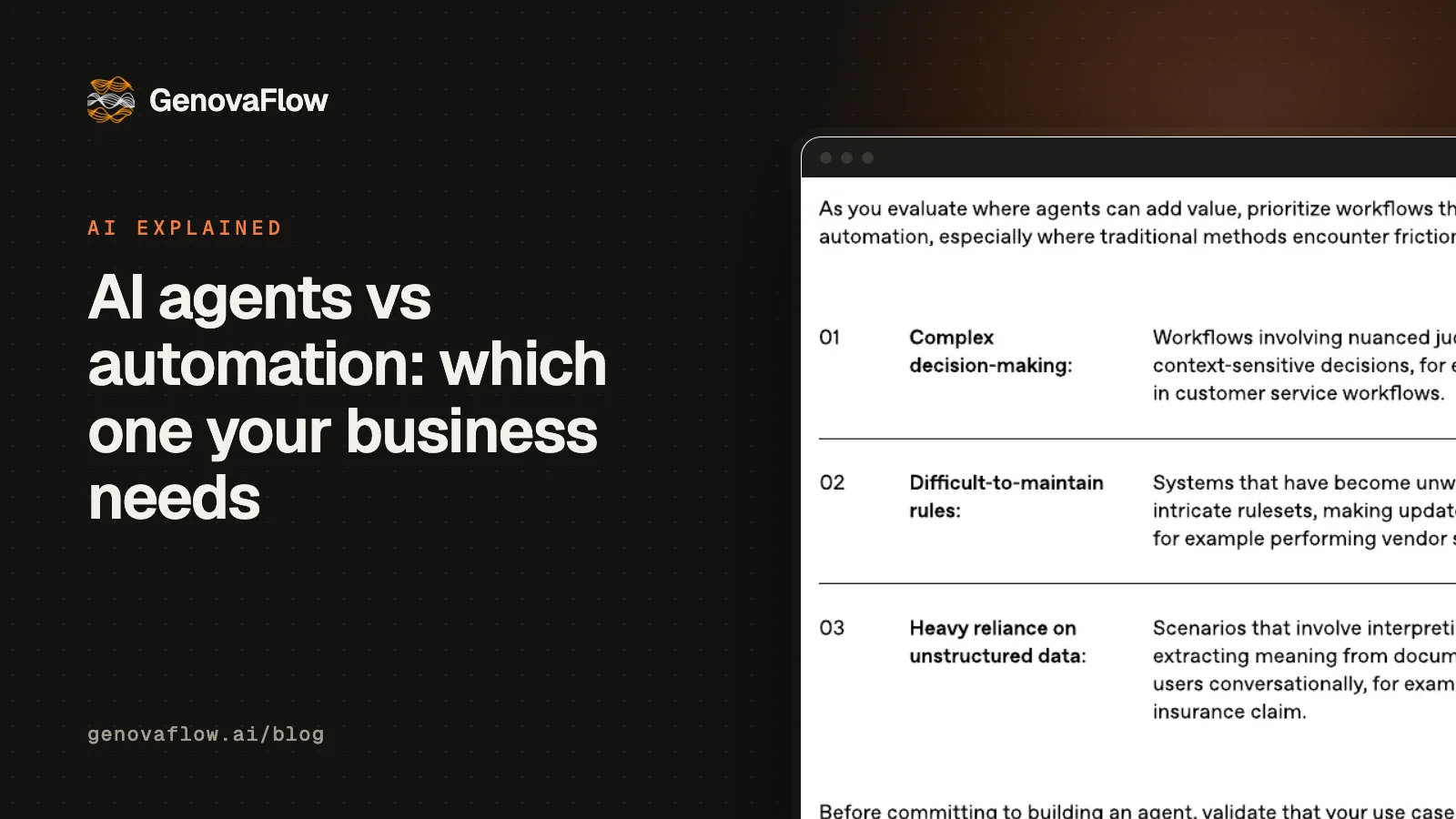
OpenAI gives three signs that a job needs an agent: decisions full of judgment and exceptions, rule sets that have grown too tangled to maintain, and heavy reliance on unstructured data such as documents and conversations (OpenAI, page 6). If a job shows none of them, use plain automation. If it needs one judgment on messy input at a known point, use one AI step. Only when the path itself changes with each case is an agent worth what it costs.
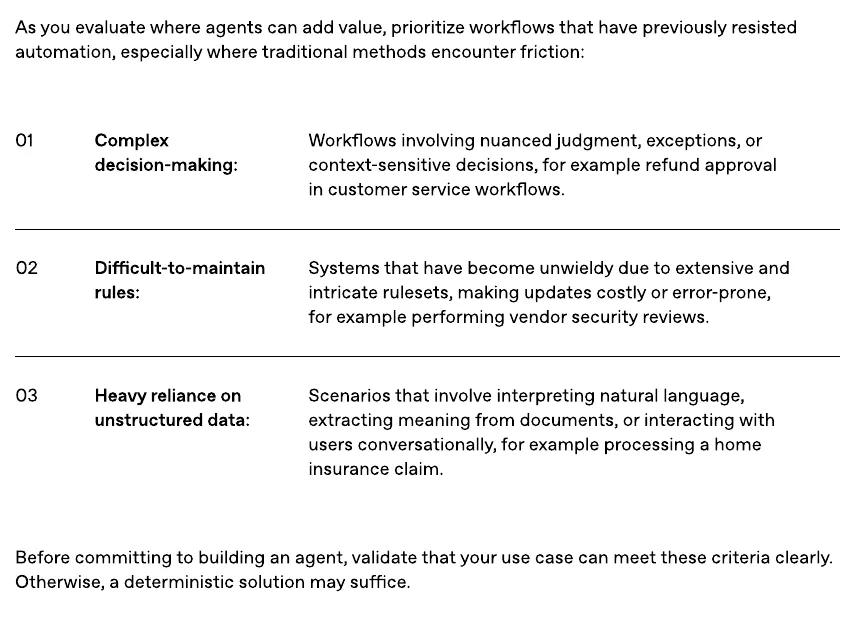
Applied to the jobs small and mid sized businesses most often ask about, that rule gives a short list of agent jobs and a long list of everything else:
| Job | Option | Why |
|---|---|---|
| New website lead into the CRM, plus a welcome email | Plain automation | Same fields and the same steps every time |
| Weekly sales report from the CRM | Plain automation | A fixed query and a fixed layout |
| Sorting a shared support inbox by topic | One AI step | Free text needs reading, but the routes are fixed |
| Pulling amount, date and supplier from invoices | One AI step | Messy documents, one fixed destination |
| Drafting answers to common questions for a person to send | One AI step | The model writes and a person approves |
| Answering customers across orders, policies and bookings | Agent, with a turn limit and a handoff | The next lookup depends on the answer to the last one |
| Refund requests | Agent that prepares, person who approves above a limit | OpenAI's own example of complex decisions, and money moves |
| Vendor security reviews | Agent, with a reviewer | OpenAI's example of rules too tangled to maintain |
Notice how few rows need an agent at all, and that every agent row carries a limit or a person. That is not caution for its own sake: it is the advice both vendors publish, applied to ordinary work.
Most real builds put the agent inside a workflow
In practice the choice is rarely one or the other. The pattern that holds up is a workflow as the skeleton, with the agent as one step or one tool inside it. In our course lesson on calling Claude Code from n8n we put the rule in one line: n8n is the skeleton, because it waits for triggers, holds the credentials, retries and shows every run, and the model is the one step that needs judgment, gets messy input or has to write code. Moving data between apps in a fixed shape needs no judgment, so it needs no model and carries no model bill.
The tools now support this directly. n8n's own agents, still marked Preview in its docs, can use workflows from the same project as tools, can be called from a workflow with the Message an Agent node, and pause to ask for approval before running a tool marked sensitive (n8n docs). So a booking flow can hand only the free text conversation to an agent, while the steps that write to the calendar stay fixed and logged.
This is also where most of the engineering effort goes, because the agent is only as safe as its access to your systems. What "plugs into your stack" means covers the APIs, webhooks and permissions underneath, and n8n vs Zapier vs Make for AI workflows covers which tool to run the skeleton on.
Five questions to ask before you pay for an agent
Whoever builds it, these five questions separate a sound agent from an expensive demo. Each one comes straight from the guidance above.
- Which of OpenAI's three signs does this job show, and why would a fixed workflow with one AI step not be enough?
- What stops the agent: a maximum number of turns, a budget or a final answer? Anthropic recommends stopping conditions such as a maximum number of iterations.
- Which actions need a person's approval before they run, and is that enforced in the tool rather than requested in the prompt?
- Can you see every run afterwards, including each tool call, its input and its result?
- Where does a case go when the agent cannot finish it, and who is told?
If a builder cannot answer the first question, you probably need automation rather than an agent. If they cannot answer the other four, the agent is not ready for your customers yet. The rest of the AI explained series covers the ideas underneath, and our custom AI agents service builds the agent together with the workflow around it.
Questions people ask
Is AI part of automation?
AI can be one step inside an automation, but automation does not need AI. A workflow that copies a form into a CRM runs on fixed rules with no model at all. A model earns its place only where a step needs judgment, such as reading a free text message or a scanned document. Anthropic's advice is to start with the simplest solution and add complexity only when it is needed.
What is the difference between AI agents and RPA?
RPA, robotic process automation, repeats fixed steps, often by clicking through software screens the way a person would. IBM describes it as following predefined rules and design patterns, which suits repetitive tasks with a standard structure. An AI agent decides its next step itself from what it reads, so it copes with variation, but it is less predictable and costs more per run.
Can you use AI agents and workflow automation together?
Yes, and most production builds do. The workflow handles the trigger, the credentials, retries and logging, and the agent handles the one part that needs judgment. In n8n, agents can use workflows as tools and a workflow can call an agent with the Message an Agent node, so each side does the work it is good at.
When should a small business not use an AI agent?
When the steps can be written down, when the same input should always give the same result, or when a mistake would move money or change a customer record with nobody checking. OpenAI's guide says that if a job involves no complex decisions, no tangled rules and no unstructured data, a deterministic solution may suffice. A fixed workflow with one AI step covers most of what is left.
Are AI agents better than traditional automation?
Not in general. Agents are better at messy, variable work and worse at doing the same thing reliably every time. In the tau bench study, the best agents tested succeeded on under half of the tasks and were inconsistent across repeated attempts at the same task. Use an agent where judgment is the job, and plain automation everywhere else.
Sources
- Building effective agents, Anthropic
- A practical guide to building agents, OpenAI
- τ-bench: A Benchmark for Tool, Agent and User Interaction in Real World Domains, Yao et al., arXiv
- TheAgentCompany: Benchmarking LLM Agents on Consequential Real World Tasks, Xu et al., arXiv
- Text Classifier node, n8n docs
- Build and manage agents, n8n docs
- What are agentic workflows?, IBM Think
Keep reading
What agentic AI is and how it differs from a chatbot
Agentic AI is a model that picks its own next step and uses tools in a loop. How it differs from a chatbot or a workflow, with a worked example.
Read the post
When should an AI agent hand off to a human?
Hand off when the agent keeps failing, when an action is risky or cannot be undone, or when the customer asks. What OpenAI, Anthropic and vendors say.
Read the post
n8n vs Zapier vs Make for AI workflows, and where Claude Code fits
How n8n, Zapier and Make price AI workflows, what n8n's license lets you self host, and when a coded agent like Claude Code is the better tool.
Read the post