
n8n MCP: connect Claude and other AI clients to n8n
n8n works as an MCP server and as an MCP client
n8n supports MCP in both directions. As a server, it lets Claude Code, Claude Desktop, Cursor or ChatGPT search, run and even build your workflows, either through the instance level MCP server built into n8n or through an MCP Server Trigger node inside one workflow. As a client, its MCP Client Tool lets an n8n AI agent use the tools of any outside MCP server.
The Model Context Protocol is the open standard underneath both. A server publishes tools, a client lists them and calls them, and the two talk over stdio, where the client starts the server as a local process, or over Streamable HTTP, which the current MCP specification, revision 2026-07-28, describes as a replacement for the HTTP plus SSE transport of 2024. For the longer version, our explainer on how an agent uses MCP as the plug to your systems covers it, and what “plugs into your stack” means shows where MCP sits next to APIs and OAuth.
Which side you need depends on who is asking. If an AI tool outside n8n should call your workflows, n8n is the server. If an agent you built inside n8n should reach a service that already has an MCP server, n8n is the client. This guide takes each route from n8n's own documentation, then walks through a worked example and the settings that keep it safe; more guides like it live in our n8n category.
If you want your team's AI tools to run n8n workflows without handing them access to everything, we can scope it with you. Book a call with GenovaFlow AI
Instance level MCP exposes the workflows you choose behind one URL
The fastest route is the MCP server built into n8n itself. An owner or admin opens Settings > Instance-level MCP and selects Enable MCP access, and n8n then shows a Server URL that ends in /mcp-server/http. According to n8n's guide to connecting to its MCP server, a connected client can search your workflows, trigger and test the ones you exposed, and create and edit workflows and data tables, with building and editing available from n8n 2.13.0.
Nothing is exposed by default. You enable MCP for the instance and then for each workflow, using the Available in MCP toggle in the workflow's settings, the workflow card menu, or the Workflows enabled list on the MCP settings page. The one exception is search_workflows, which returns previews, never full data, of every workflow the signed in user can already see. A short description on each exposed workflow helps the client pick the right one.
Clients sign in with OAuth, which n8n recommends, or with a personal API key sent as a bearer token. With OAuth each client keeps only the permissions you approved, for example reading workflows without running them, and you can revoke it from the Connected clients list. An API key is shown once, and generating a new one revokes the old one, so every client that uses it needs the new value. The settings layout with the Connect a client dialog arrived in n8n 2.33.0, per the same page, so older instances show a simpler screen.
Once connected, the client works through the tools in n8n's MCP server tools reference: search_workflows and get_workflow_details to find things, execute_workflow and test_workflow to run them, and further tools for executions, credentials, publishing and data tables. On a self hosted instance you can turn the feature on from the environment with N8N_MCP_MANAGED_BY_ENV=true and N8N_MCP_ACCESS_ENABLED=true, as n8n's settings environment variables page lists them, or remove it completely with N8N_DISABLED_MODULES=mcp.
Claude Code connects with one command, Claude Desktop with a connector
Every client points at the same Server URL, so the setup is short. For Claude Code, n8n's client connection examples give this command for OAuth. You then run /mcp inside Claude Code, select n8n and approve access in the browser.
claude mcp add --transport http n8n https://<your-n8n-domain>/mcp-server/httpWith an API key instead of OAuth, the key travels as a header on the same command:
claude mcp add --transport http n8n-mcp https://<your-n8n-domain>/mcp-server/http \
  --header "Authorization: Bearer <YOUR_N8N_MCP_TOKEN>"
This matches Claude Code's own MCP documentation, which uses --transport http for remote servers, marks the older SSE transport as deprecated, and stores a server in your local scope unless you add it with project scope, which writes a shared .mcp.json for the team. The domain is your n8n Cloud address or the domain that serves your self hosted editor, and n8n warns that the Server URL is not the editor address in your browser bar.
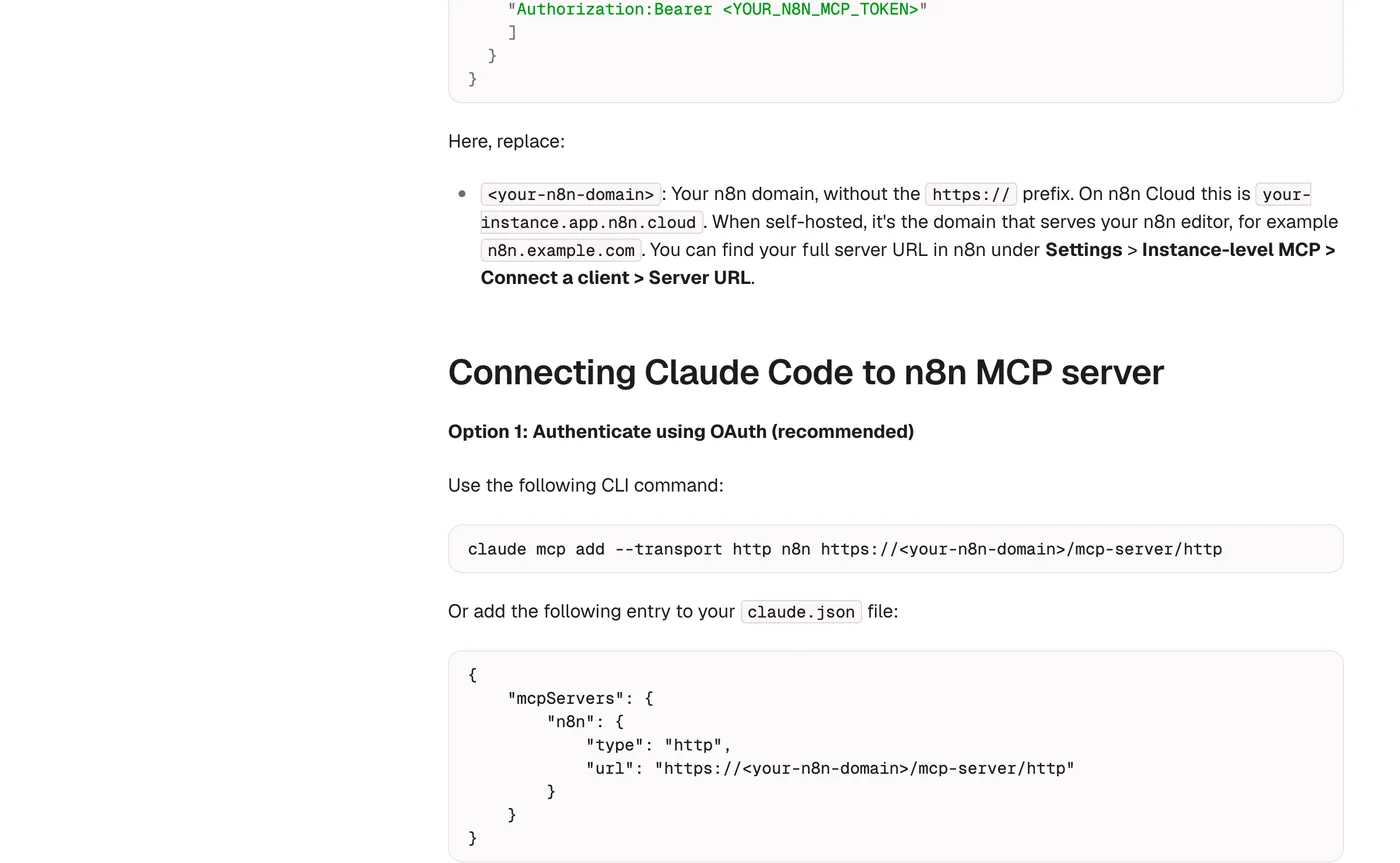
Claude Desktop takes the same URL as a custom connector: open Settings, then Connectors, choose Add custom connector, paste the URL and approve access when n8n asks. The examples page has the matching command or config for Codex, Gemini CLI, Cursor, VS Code, Windsurf and Google ADK agents too. n8n suggests coding agents such as Claude Code over chat clients for building workflows, and its troubleshooting notes that cloud based clients need an instance with a public address, which is what our guide to hosting n8n on Google Cloud with your own domain sets up.
The MCP Server Trigger turns one workflow into a custom server
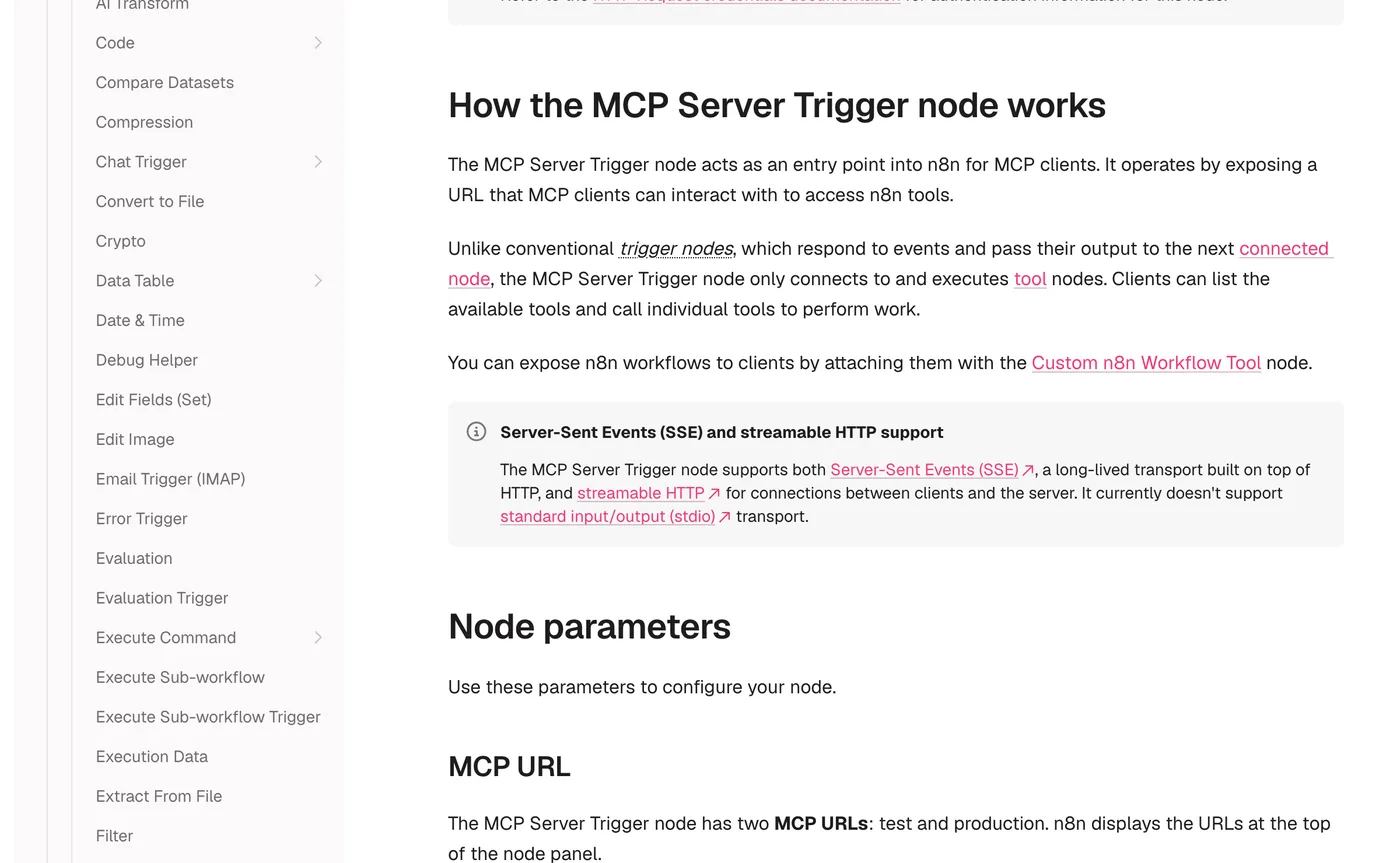
Use the MCP Server Trigger node when you want to design exactly which tools a client sees, rather than hand over whole workflows. n8n's node docs describe it as an entry point that only connects to and runs tool nodes: the client lists the tools attached to it and calls them one at a time. To offer another workflow as a tool, attach it with the Custom n8n Workflow Tool node and write a description that tells the model when to use it.
The node has a test URL, live while you listen for a test event, and a production URL that registers when you publish the workflow. Authentication can be None, Bearer auth or Header auth, and the path is random by default so two triggers never clash. It speaks SSE and streamable HTTP but not stdio, so a client that only talks stdio needs a bridge. For Claude Desktop the docs use the mcp-remote package for that job:
{
  "mcpServers": {
    "n8n": {
      "command": "npx",
      "args": [
        "mcp-remote",
        "<MCP_URL>",
        "--header",
        "Authorization: Bearer ${AUTH_TOKEN}"
      ],
      "env": {
        "AUTH_TOKEN": "<MCP_BEARER_TOKEN>"
      }
    }
  }
}
Two hosting details catch people out. Behind Nginx, the MCP location needs proxy buffering, gzip and chunked transfer encoding switched off and the Connection header set to an empty string, or the docs warn you may run into problems with the connection. In queue mode with several webhook replicas, every /mcp* request has to reach one dedicated replica, because the connection must stay on the same server. With a single webhook replica, the docs say the node works as expected, so a small instance only needs the proxy settings.
The MCP Client Tool lets an n8n agent use outside servers
The other direction runs through the MCP Client Tool, a sub node you attach to an AI Agent node like any other tool. Its documentation lists the server's endpoint, an authentication method (bearer, one header, several headers, or OAuth2) and Tools to Include, where you choose All, Selected or All Except. That last setting matters more than it looks, because every tool you include is one the model is allowed to call.
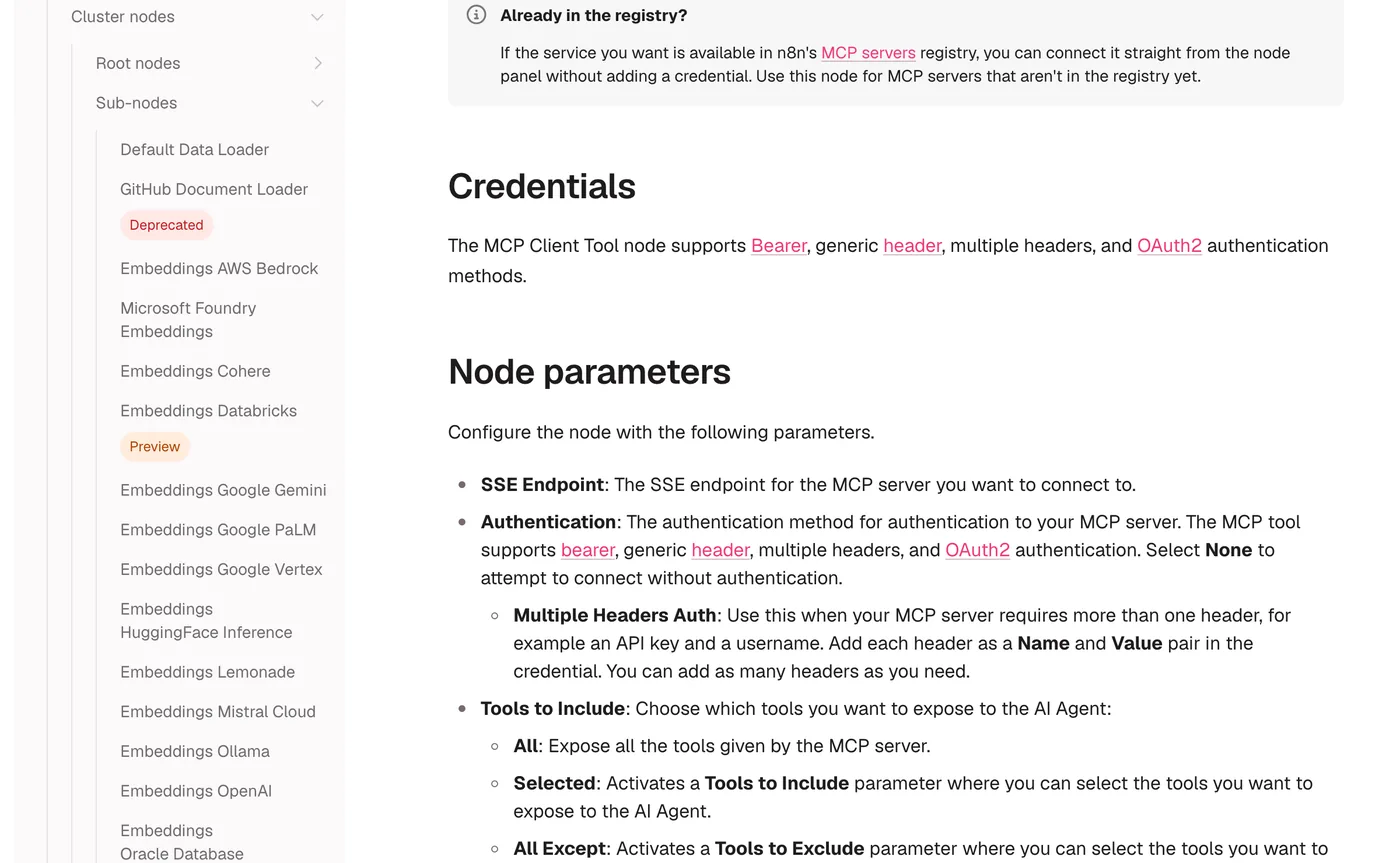
For popular services you may not need a credential at all. n8n's MCP servers registry sits in the AI Agent's tool panel: you pick a server such as Notion or Linear, sign in, and choose its tools. If you want an MCP tool as a fixed step rather than the agent's choice, the separate MCP Client node runs one named tool with the parameters you set, inside an ordinary workflow.
The registry page also draws the line between a built in n8n tool and an MCP server honestly. A built in tool fixes the operation and lets you pin parameters, so the model only fills the fields you leave open. An MCP server hands the agent every tool it exposes from one connection, at the cost of control and more context on every call. Our Gemini voice agent for Telegram uses the first kind, with Gmail and Google Sheets tools on an AI Agent node, and an MCP Client Tool could sit beside them on the same agent.
Worked example: Claude Code adds a CRM lead through n8n
Here is how the pieces fit, as an example of the shape rather than a test we ran. Say you keep a workflow called Add CRM lead that starts with a Webhook node, checks the fields and creates a contact in your CRM. You publish it, switch on Available in MCP, and give it a description such as “Adds a sales lead. Needs name, email and company.” Then you connect Claude Code with the command above and ask it to add the sender of an email you paste in.
Claude Code first calls search_workflows to find the workflow, then execute_workflow. Per the tools reference, a webhook workflow needs the trigger's name and a webhook input carrying the method, query, body and headers, and production mode runs the published version. The call looks like this:
{
  "workflowId": "<id returned by search_workflows>",
  "executionMode": "production",
  "triggerNodeName": "Webhook",
  "inputs": {
    "type": "webhook",
    "webhookData": {
      "method": "POST",
      "body": {
        "name": "Jane Doe",
        "email": "jane@example.com",
        "company": "Example Trading"
      }
    }
  }
}
The tool returns an execution ID straight away instead of waiting, and the client reads the outcome with get_workflow_execution. Production mode works with Webhook, Chat Trigger, Form Trigger and Schedule Trigger workflows, while multi step forms and human approval steps are not supported. Since the workflow checks the fields itself, a sloppy call from the model stops inside n8n instead of landing in your CRM, which is the main reason to wrap actions in a workflow rather than give the model the CRM directly.
Lock it down before you connect a client
MCP makes it easy to give an AI real permissions, so its settings deserve the care you would give an API key. Most of the controls are already in n8n:
- Expose only the workflows you mean to. Every connected client sees every workflow you enabled, and n8n's MCP page says you cannot restrict a workflow to one client.
- Prefer OAuth, check Connected clients now and then, and revoke what you no longer use. Rotate the API key if it ever leaves your hands.
- Under Allowed callback URLs, choose Only trusted URLs; by default n8n accepts any callback URL, which its docs call less secure.
- Give every MCP Server Trigger Bearer or Header auth before you publish it, because a production URL with None is open to anyone who finds it.
- If a proxy or firewall filters headers, let
MCP-Protocol-Version,Mcp-MethodandMcp-Namethrough.
The protocol asks the same of every server. The MCP transport specification says servers must validate the Origin header and should authenticate every connection, and Claude Code's docs tell you to trust each server before you connect it, since servers that fetch outside content can expose you to prompt injection.
That warning applies to the most popular n8n MCP project on GitHub, which is not n8n's own. czlonkowski/n8n-mcp is a third party, MIT licensed server with 23,126 stars when we checked on 23 October 2026, and its README says it gives assistants documentation for 3,143 n8n nodes plus, with an n8n API key, 21 tools that manage workflows on your instance. The same README warns in capitals never to edit production workflows directly with AI: copy the workflow, test on a development instance and keep backups. n8n's own route for the same job is its built in server with the official n8n Skills for coding agents.
When a workflow behind an MCP tool touches customers or money, it usually deserves to be built as a proper agent with limits and a hand off to a person, which is the work our custom AI agents service does.
Questions people ask
Does n8n have its own MCP server?
Yes. Both n8n Cloud and self hosted instances have a built in MCP server. An owner or admin enables it under Settings > Instance-level MCP, and clients connect to the Server URL ending in /mcp-server/http. Only workflows you mark as available in MCP can be run or edited, as n8n's docs explain.
How do you connect Claude Code to n8n MCP?
Run claude mcp add --transport http n8n https://<your-n8n-domain>/mcp-server/http, then type /mcp in Claude Code, select n8n and approve access in the browser. To use an API key instead of OAuth, add --header "Authorization: Bearer <token>". Both forms come from n8n's client examples.
What is the difference between instance level MCP and the MCP Server Trigger?
Instance level MCP is one connection for the whole instance, with central sign in, where you pick which workflows clients may use. The MCP Server Trigger lives inside a single workflow and exposes only the tool nodes attached to it, so you design that server's tools by hand. Use the first to share workflows, the second for a custom server.
Is the n8n-mcp project on GitHub made by n8n?
No. czlonkowski/n8n-mcp is a popular third party, MIT licensed server that gives AI assistants n8n node documentation and, with an n8n API key, tools to manage workflows. n8n's own options are the built in instance level server and the MCP nodes. The project's README warns against editing production workflows directly with AI.
Does the n8n MCP Server Trigger support stdio?
No. The MCP Server Trigger supports SSE and streamable HTTP but not stdio. A client that only speaks stdio needs a bridge, and n8n's node docs show Claude Desktop connecting through the mcp-remote package with a bearer token in the Authorization header.
Sources
- Connect to n8n MCP server, n8n Docs
- MCP client connection examples, n8n Docs
- MCP server tools reference, n8n Docs
- MCP Server Trigger node, n8n Docs
- MCP Client Tool node, n8n Docs
- MCP servers registry, n8n Docs
- Connect Claude Code to tools via MCP, Claude Code Docs
- Streamable HTTP transport, Model Context Protocol specification (2026-07-28)
- czlonkowski/n8n-mcp, GitHub (third party)
- n8n-io/skills, GitHub
- Manage settings using environment variables, n8n Docs
Keep reading

Host n8n on the Google Cloud Free Tier with Docker
Run n8n in Docker on Google Cloud's free e2-micro VM with Nginx and a free Let's Encrypt certificate. Every command checked against the official docs.
Read the post
Build a Gemini Voice Agent for Telegram in n8n
An n8n Telegram bot that transcribes voice notes with Gemini, answers with Gmail and Sheets tools and replies by voice, updated for current Gemini models.
Read the post
What agentic AI is and how it differs from a chatbot
Agentic AI is a model that picks its own next step and uses tools in a loop. How it differs from a chatbot or a workflow, with a worked example.
Read the post