
Self hosted n8n: what it costs, needs and how to run it
Self hosted n8n is free to license, and you pay in server bills and hours
Self hosted n8n, the Community edition, costs nothing in licence fees as long as only you or people in your organization build the workflows, according to n8n's License FAQ. What you pay for is a server, a few dollars a month at the small end, and the time it takes to keep that server updated, backed up and secure. If nobody on your team wants that job, n8n Cloud is the better buy.
This guide covers the decision and the running costs that come after it: what the licence allows, what the server needs, and the three jobs that never finish. It does not repeat an install. For the step by step, follow how to host n8n on the Google Cloud free tier with Docker, which also has the exact backup and update commands for a single container. For how n8n's pricing compares with Zapier and Make, read n8n vs Zapier vs Make for AI workflows.
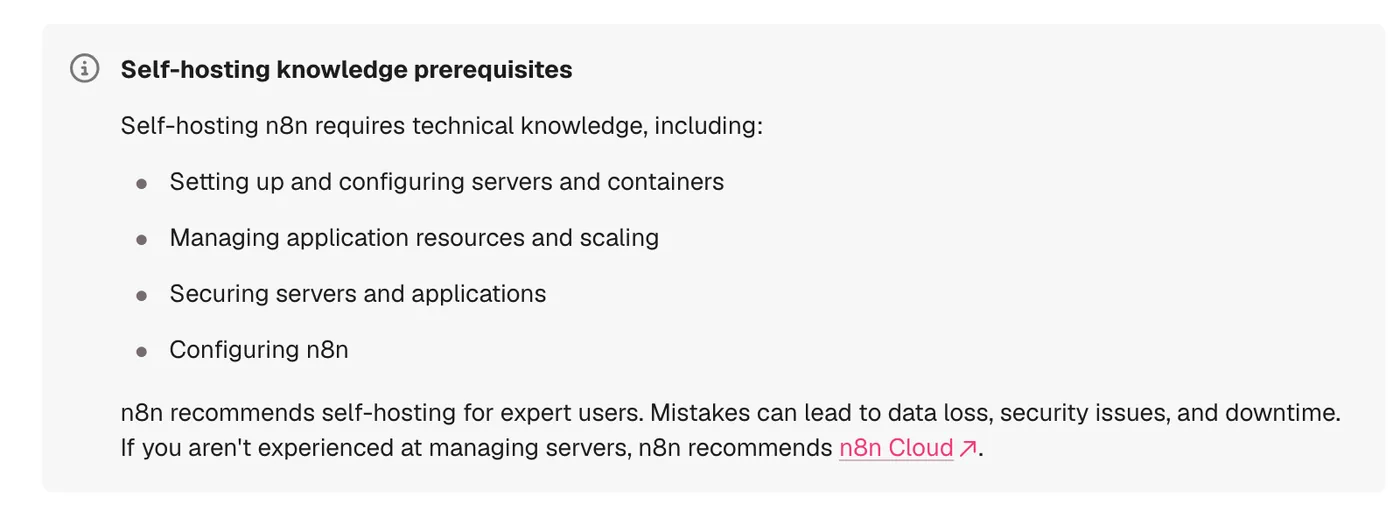
n8n's own documentation is blunt about who should take this on. The Docker install page lists the skills it expects, from configuring servers and containers to securing them, and says n8n recommends self hosting for expert users because mistakes can lead to data loss, security issues and downtime. Everything below is checked against n8n's docs as they read on 23 October 2026, when the current stable release was 2.44.6.
If you are weighing self hosted n8n against n8n Cloud for real workflows, we can go through your volume and your team with you. Book a call with GenovaFlow AI
A small server costs less than n8n Cloud, until you count your time
The two price lists are short, and they count different things. On n8n's pricing page, billed annually, Starter is 20 euros a month for 2,500 workflow executions and Pro is 50 euros a month for 10,000. An execution is one run of a whole workflow however many steps it has, and the Cloud plans are priced by how many of those you use. A self hosted instance has no execution count at all; the ceiling is whatever your server can carry.
Server prices start low. DigitalOcean's droplet pricing lists a 1 GiB, 1 vCPU machine at $6 a month, 2 GiB at $12 and 4 GiB with 2 vCPUs at $24, with weekly backups adding 20% of the droplet's price and daily backups 30%. As a worked example rather than a quote, a 2 GiB droplet with weekly backups comes to $14.40 a month. Our Google Cloud guide goes lower still by using Google's free e2-micro VM, where the public IP address is the main bill.
The line no pricing page prints is the time. Somebody has to keep up with releases that ship most weeks, check that backups restore, and read the security advisories, and that work does not shrink because the server is cheap. If your workflows run a few thousand times a month and nobody technical owns the server, compare Starter at 20 euros a month with what those hours cost you each month.
The calculation flips when volume grows or when you need what Cloud does not sell yet. The Business plan, at 667 euros a month billed annually for 40,000 executions, is listed on the pricing page as self hosted only, with SSO, multiple environments and Git version control. Teams that need those features run n8n on their own servers either way.
The licence allows internal use and client work, not reselling n8n
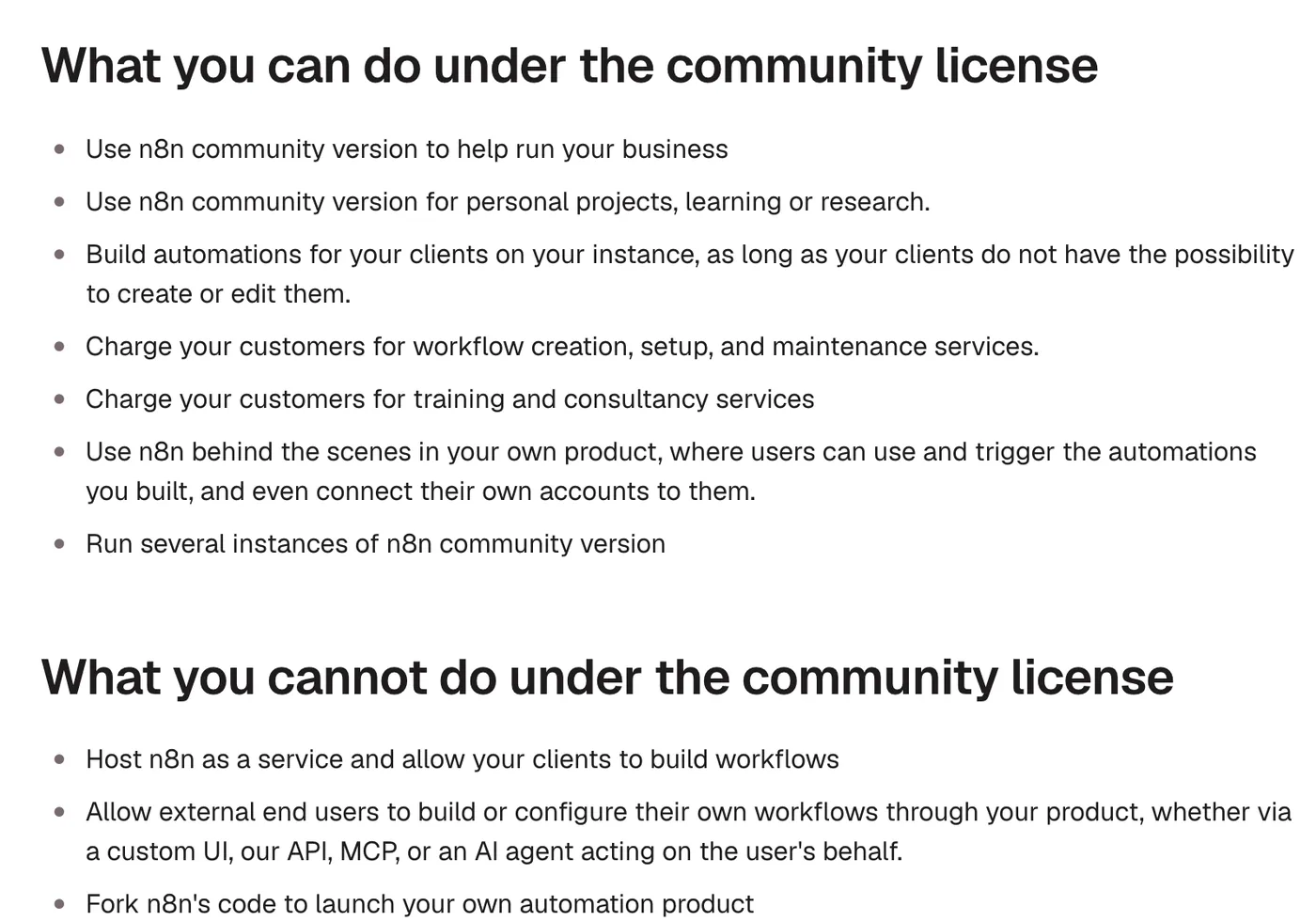
n8n does not use an open source licence. Its Community license page describes the Sustainable Use License as a fair code licence n8n created in 2022, and the test the License FAQ applies is simple: who builds the workflows. If only you or your organization create or change them, you can use the Community edition for free, including to run a business.
That leaves a lot of room for agencies and consultants. You can build automations for clients on your own instance as long as the clients cannot create or edit them, charge for setup, maintenance, training and consulting, run n8n behind the scenes in your own product, and install and maintain n8n on a client's own server as long as you are not also hosting it for them. What you cannot do is host n8n as a service where clients build workflows, let outside users configure workflows through your product (the FAQ names a custom UI, the API, MCP and AI agents acting for the user), fork it into your own automation product, or white label it.
The free edition also has fewer features than the paid ones. The Compare editions page says the Community edition includes almost the complete feature set and lists what it leaves out: custom variables, environments, external secrets, external storage for binary data, log streaming, multi main mode, projects, SSO, sharing of workflows and credentials, and Git version control. Registering the instance with an email is free and adds folders, debug in editor and custom execution data.
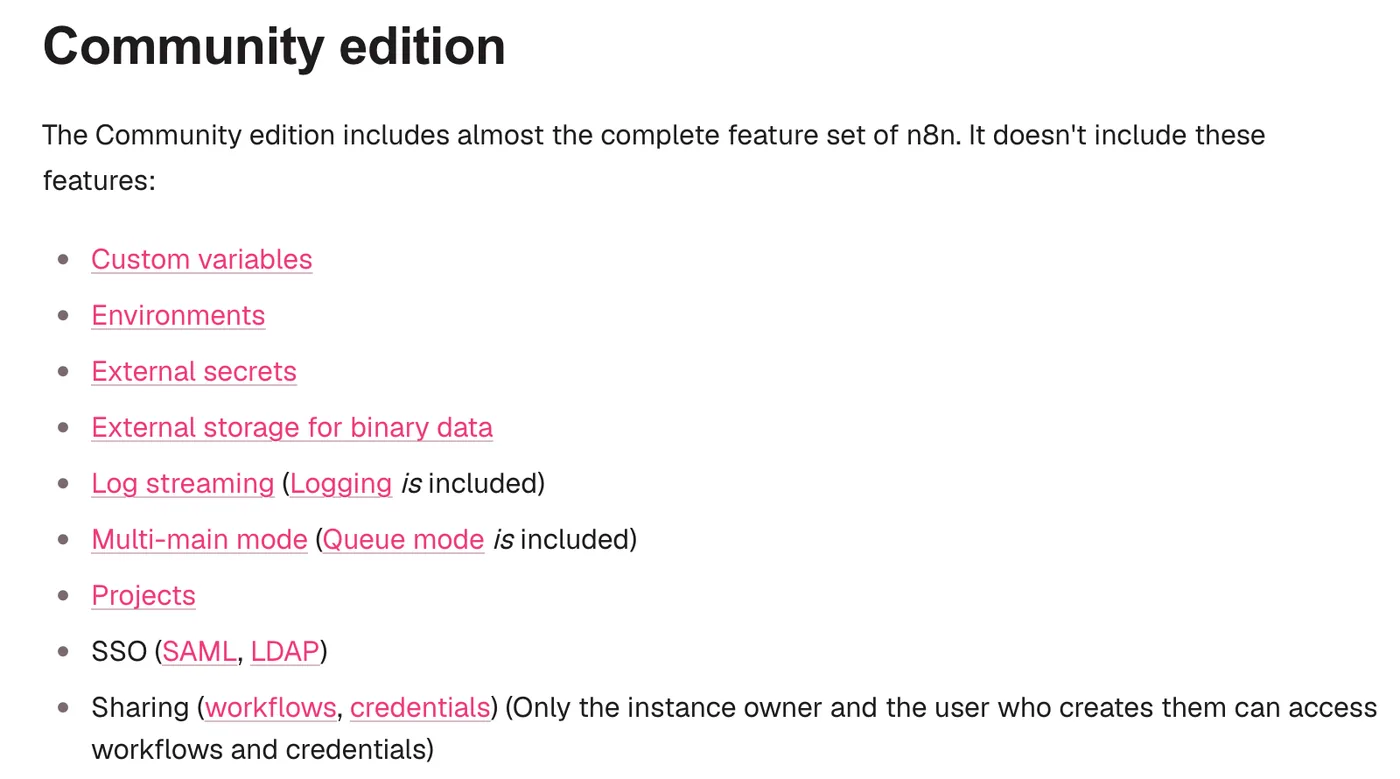
For a small team, sharing is the gap to check first. Without it, only the instance owner and the person who created a workflow or credential can open it, so a second builder on the team works around the gap or pays for a plan that includes it.
It needs Docker, enough memory, a real database and one key you never lose
Docker is the way to run it now. The v3.0 breaking changes page says n8n 3.0 is releasing soon and that self hosted n8n will require a Docker based deployment, with no support for installs run through npm or npx n8n. For a new server, n8n's one line setup checks Docker, writes the configuration files and starts n8n with a single command, curl -fsSL https://get.n8n.io | sh. If you already run your own Compose file, you can keep it.
Server size depends on what you run. The Docker Compose guide asks for at least 4 GB of RAM and 2 vCPUs, because its stack includes a sandbox that runs the code n8n Assistant writes. A single n8n container without the Assistant needs less, and our Google Cloud guide runs one on a VM with 1 GB of memory. What decides the size is your workflows: n8n's page on memory issues names large JSON data, binary files, the number of nodes, the Code node, manual executions and workflows running at the same time as the things that push memory use up.
The database is the next choice. n8n uses SQLite by default, a single file at ~/.n8n/database.sqlite, and the Compose guide says SQLite is fine for trying things out, while a production instance with more than a handful of users or workflows running around the clock should use PostgreSQL. n8n's database page supports PostgreSQL 17 and 18 as of July 2026, plus 16 for compatibility.
The encryption key is the part a backup cannot do without. n8n creates a random key on first launch and saves it in the .n8n folder, and every credential in the database is encrypted with it. Without it, the backup docs say, a restored database or an encrypted credential export can't be decrypted. Set your own with N8N_ENCRYPTION_KEY and keep a copy outside the server.
A handful of environment variables carry the rest. Here is an example for an instance on its own subdomain behind a reverse proxy, with PostgreSQL; the values are placeholders:
N8N_HOST=n8n.example.com
N8N_PROTOCOL=https
N8N_WEBHOOK_URL=https://n8n.example.com/
N8N_PROXY_HOPS=1
GENERIC_TIMEZONE=Asia/Dubai
TZ=Asia/Dubai
N8N_ENCRYPTION_KEY=<a long random string you also store elsewhere>
DB_TYPE=postgresdb
DB_POSTGRESDB_HOST=postgres
DB_POSTGRESDB_DATABASE=n8n
DB_POSTGRESDB_USER=n8n
DB_POSTGRESDB_PASSWORD=<password>
Two of these need a word of explanation. n8n builds webhook URLs from the protocol, host and port, so behind a proxy you set N8N_WEBHOOK_URL and N8N_PROXY_HOPS, as the reverse proxy page explains; the older WEBHOOK_URL is deprecated from 2.35.0. And GENERIC_TIMEZONE is the timezone that schedule nodes such as the Schedule Trigger use, according to n8n's Docker page, so set it to yours. Builds such as the Gemini voice agent for Telegram only work once these URLs point at a public HTTPS address.
Queue mode is for later, if ever. n8n's own benchmark puts a single instance at up to 220 workflow executions per second. When one process is not enough, queue mode splits the work: the main instance receives triggers and webhooks, Redis holds the queue, and worker processes run the executions. n8n does not recommend it with SQLite, and every worker needs the main instance's encryption key. The Community edition includes queue mode; running several main instances is a paid feature.
Updates and backups are a standing job, not a setup step
n8n moves fast. Its Docker page says a new minor version ships most weeks, with a stable tag for production and a beta tag for the newest release, and the GitHub releases page showed 2.44.6 as the latest stable on 22 October 2026 with 2.45.3 as a prerelease a day later. The update guide asks you to update at least once a month, so you never jump several versions at once, and to read the release notes for breaking changes first.
Pin the version instead of pulling whatever is newest. With plain Docker that means an image tag such as n8nio/n8n:2.44.6; with the Compose setup it is the N8N_VERSION line in .env; the one line setup takes --version. You then upgrade on a day you choose, after a backup. Before the jump to 3.0, the breaking changes page asks you to open Settings, Migration Report, which lists the workflows and settings on your instance that need attention.
A backup only counts if it brings everything back. n8n's Back up and restore page defines a complete backup as two parts: the .n8n folder, which holds the encryption key and, with SQLite, the database itself, and your PostgreSQL database if you use one. With SQLite you stop n8n before copying the folder, so the file is consistent. The CLI exports are useful for moving workflows between instances, and nothing more:
n8n export:workflow --backup --output=backups/workflows/
n8n export:credentials --backup --output=backups/credentials/
The same page lists what those exports leave out: users and their roles, execution history, variables and instance settings, including the encryption key. Keep a copy of the folder and the database off the server, and restore it onto a fresh machine once, so you learn about a missing key on a quiet afternoon rather than during an outage. The Docker volume archive and update commands are in our Google Cloud guide.
Security on a self hosted instance means patching on n8n's schedule
Keeping n8n patched is most of the security work, and the fixes arrive in batches. The first page of n8n's security advisories on GitHub showed ten advisories published on 14 October 2026, three of them rated high, including stored cross site scripting through webhook responses. On n8n Cloud, n8n handles the updates; on your own server the fixes wait until you update.
n8n gives you a few tools for the rest. Running n8n audit produces a security audit whose instance report flags unprotected webhooks, missing security settings and an outdated version. n8n's security checklist for self hosted users adds TLS through a reverse proxy, encryption at rest, care with community nodes, blocking external modules in the Code node, disabling nodes such as Execute Command or SSH, and pruning execution data with EXECUTIONS_DATA_MAX_AGE so personal data does not pile up. The Compose guide's checklist adds that only n8n's own port should be open on your firewall.
Monitoring closes the loop. According to n8n's monitoring page, n8n answers on /healthz when it is reachable and on /healthz/readiness when its database is connected, so an outside uptime check can tell you n8n is down before a client does.
Pick n8n Cloud when nobody will own the server
Choose n8n Cloud when the workflows matter more than the infrastructure. n8n's own comparison says Cloud is fully managed, with n8n handling hosting, updates and scaling, while self hosting means you provide the infrastructure and maintenance is your responsibility. A small team running a few thousand executions a month, with nobody who wants to read release notes, is the Cloud case.
Self host when the volume is high, when the data has to stay on your own servers, when you need the paid features that are sold for self hosted instances only, or when you build and run workflows for clients and keep them on an instance you control.
The workflows are what earn the money. Our YouTube to LinkedIn, X and Reddit workflow is the kind of build an instance like this runs, and what "plugs into your stack" means for AI agents explains where an automation layer like n8n sits next to your CRM and helpdesk. More n8n guides are in the n8n category.
Questions people ask
Is self hosted n8n free for commercial use?
Yes, for internal business use. n8n's License FAQ says that if workflows are only created or modified by you or people in your organization, you can use the Community edition for free, including to run your business and to build automations for clients on your own instance. You cannot let clients or outside users build workflows on it, resell it as a service, or white label it.
What are the limitations of self hosted n8n?
The free Community edition lacks custom variables, environments, external secrets, external binary storage, log streaming, multi main mode, projects, SSO, sharing of workflows and credentials, and Git version control, per n8n's Compare editions page. There is no execution limit, but you carry the server, updates, backups and security yourself.
What are the requirements to self host n8n?
Docker, a server with enough memory for your workflows, and ideally PostgreSQL for production. n8n's Docker Compose guide asks for at least 4 GB of RAM and 2 vCPUs because it includes the n8n Assistant sandbox; a single n8n container without it runs on much less. You also need a domain with HTTPS if outside services call your webhooks.
How do you update self hosted n8n?
Back up first, read the release notes, then pull the new image and recreate the container, or run the one line setup with --upgrade. n8n's update guide recommends updating at least once a month so you never skip several versions at once. Pin the version you run so updates happen when you choose.
Can you self host n8n without Docker?
Today an npm install still works, but not for long. n8n's v3.0 breaking changes page says self hosted n8n will require a Docker based deployment and that n8n 3.0 no longer supports installs run with npm or npx. Move to Docker before you upgrade to 3.0.
Sources
- Pricing, n8n
- Droplet pricing, DigitalOcean
- License FAQ, n8n Docs
- Compare editions, n8n Docs
- Install with Docker, n8n Docs
- Install using Docker Compose, n8n Docs
- v3.0 Breaking changes, n8n Docs
- Choose n8n's database, n8n Docs
- Back up and restore, n8n Docs
- Update n8n, n8n Docs
- Enable queue mode, n8n Docs
- Releases, n8n on GitHub
- Security advisories, n8n on GitHub
Keep reading

Host n8n on the Google Cloud Free Tier with Docker
Run n8n in Docker on Google Cloud's free e2-micro VM with Nginx and a free Let's Encrypt certificate. Every command checked against the official docs.
Read the post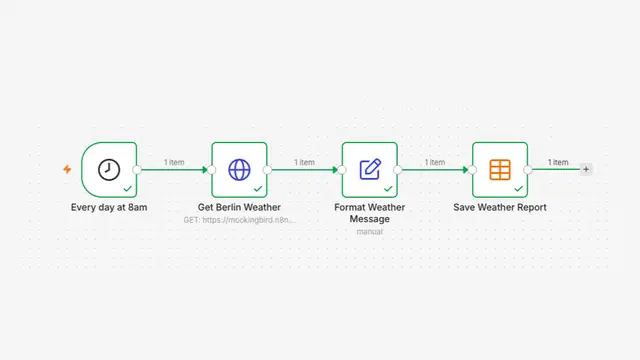
n8n vs Zapier vs Make for AI workflows, and where Claude Code fits
How n8n, Zapier and Make price AI workflows, what n8n's license lets you self host, and when a coded agent like Claude Code is the better tool.
Read the post
Build a Gemini Voice Agent for Telegram in n8n
An n8n Telegram bot that transcribes voice notes with Gemini, answers with Gmail and Sheets tools and replies by voice, updated for current Gemini models.
Read the post