
Claude Code for business: uses, costs and safe setup
Claude Code edits files and runs commands, which covers more than software
Claude Code is an AI assistant from Anthropic that edits files and runs commands for you, which covers business work that lives in files, such as research notes, documents, spreadsheet exports and automations, as well as software. It is included from the Pro plan at $17 a month on annual billing, and running it safely comes down to a few settings files and a habit of checking what it changed.
The official overview calls it a coding assistant, so the non code uses in this guide are our reading of its ability to work across files and tools, shown with example prompts and not client results. The parts that are measured are the prices, which come from Anthropic's own pages, and the cost numbers, which come from our effort level and token tests.
It runs in the terminal, in VS Code, in JetBrains IDEs, in a desktop app and in the browser at claude.ai/code. For a business team without a developer, the desktop app or the browser version is the easier start, since the docs say the desktop app includes Claude Code and needs a paid subscription. If you do use the terminal, the install is one line, followed by moving into the folder you want to work on and starting Claude Code there.
curl -fsSL https://claude.ai/install.sh | bash
cd your-project
claude
That install line is for macOS, Linux and WSL, and the overview has the Windows commands. Open a new terminal window afterwards and run claude --version to confirm it worked. Claude Code asks you to log in the first time it starts.
If your team is deciding whether Claude Code is worth paying for, we can look at your actual workload and tell you which plan fits. Book a call with GenovaFlow AI
Research, documents, data cleanup and automations all fit Claude Code
Any job whose input and output are files is a candidate for Claude Code. Every prompt below is an example of what we would ask it to do, not a result from a client project.
Research across a folder of notes
Put interview notes, saved articles or call transcripts in one folder and ask for a synthesis that names its source. Because Claude Code works across many files at once, it reads the whole folder instead of the one document you would paste into a chat.
claude "read every file in the interviews folder and write summary.md with the five complaints that come up most often, naming the file each one came from"Connections extend this. The Model Context Protocol (MCP) is an open standard for connecting AI tools to outside data, and the overview says it lets Claude Code read design docs in Google Drive, update tickets in Jira and pull data from Slack.
Documents that follow your rules
Standing instructions go in CLAUDE.md, a markdown file that shapes how Claude Code works in a project, so tone and format rules are written once instead of retyped in every request. A proposal, a policy or a weekly report can then be drafted from rough notes and checked against those rules in the same run.
Data cleanup you can check
Spreadsheet exports are text files, so duplicates, inconsistent names and mixed date formats are a natural fit. Ask for a new file so the original stays untouched.
claude "open customers.csv, find duplicate rows by email address, write the cleaned copy to customers-clean.csv and a list of every row you removed to removed-rows.csv"The second half of that prompt matters most. A cleaned file you cannot compare against the original is a file you have to trust, and a list of removed rows turns that trust into a quick review.
Automations that run on a schedule
Claude Code can write the script behind a repeated task and run it, and the overview lists jobs of that kind it already handles, such as release notes and dependency updates. When a task touches many apps on a schedule, a workflow tool is often the better home, and our comparison of n8n, Zapier and Make for AI workflows covers where Claude Code fits. If you want to try that route, here is how to host n8n on the Google Cloud free tier.
The pattern is the same for an analyst cleaning exports, an owner drafting documents or a business development lead summarising calls: files in, files out, and a person reads the result before it goes anywhere.
Claude Code starts at $17 a month, and heavy use moves you up a plan
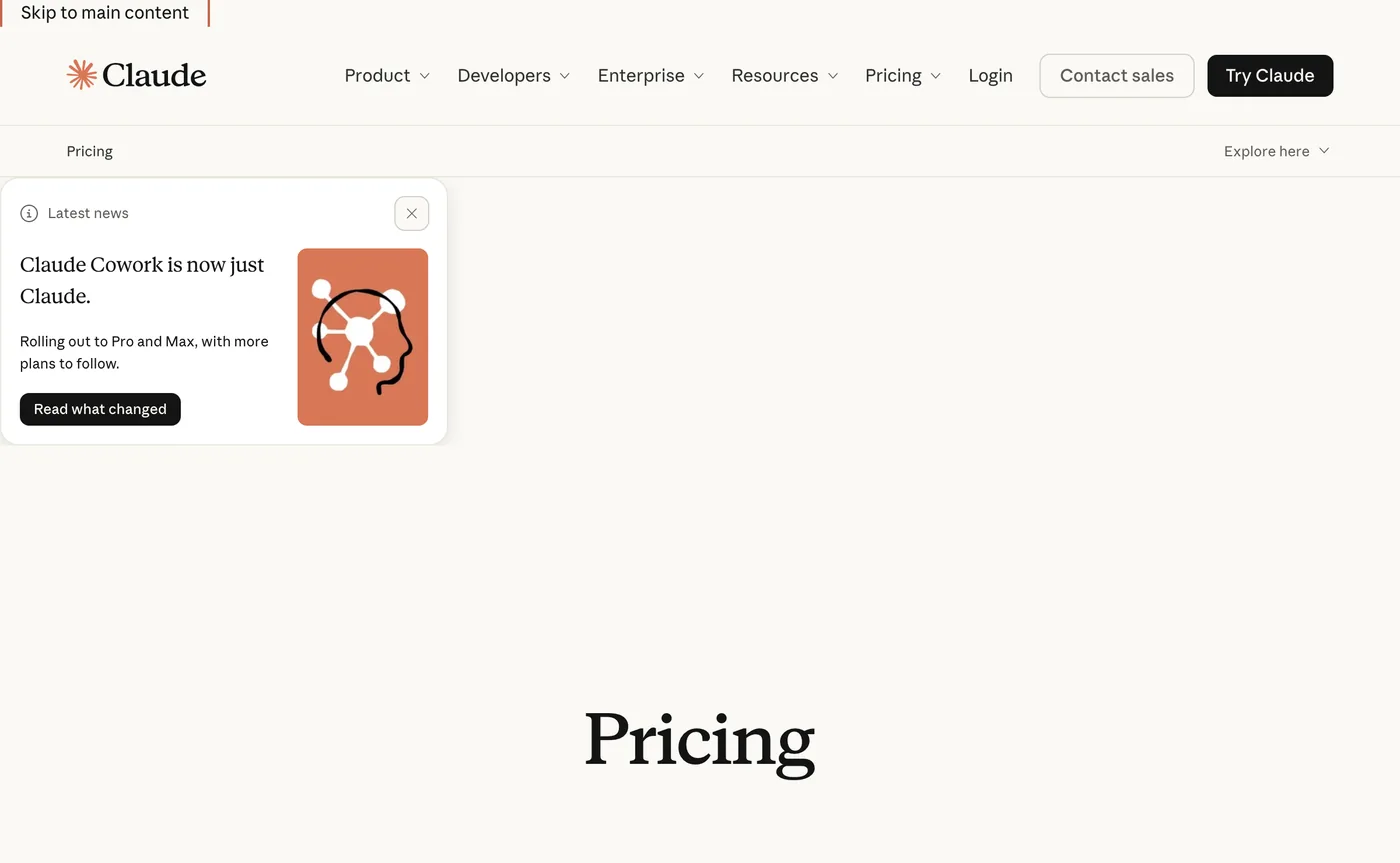
Claude Code is not part of the Free plan, and the cheapest way in is Pro at $17 a month with annual billing or $20 billed monthly. Heavier users move to Max from $100 a month, and teams buy Team or Enterprise seats. These figures come from Anthropic's pricing page, exclude tax, and Anthropic says plans and prices can change.
| Plan | Price | Claude Code |
|---|---|---|
| Free | $0 | Not included |
| Pro | $17 a month billed annually, $20 billed monthly | Included |
| Max | From $100 a month, with 5x or 20x the usage of Pro | Included |
| Team, standard seat | $20 per seat a month billed annually, $25 billed monthly | Included |
| Team, premium seat | $100 per seat a month billed annually, $125 billed monthly, with 5x the usage of a standard seat | Included |
| Enterprise | US$20 per seat a month billed annually, 20 seat minimum, plus usage at API rates | Included |
Usage limits apply on every plan, as Anthropic's pricing page notes, which is why Max is sold as 5x or 20x the usage of Pro rather than as a different set of features. Central billing and administration first appear on Team, and Enterprise adds admin set spend limits, audit logs and role based access, none of which Free, Pro or Max list.
Underneath the plans, Claude Code runs on tokens, the units of text the model reads and writes. The costs documentation says it charges by API token consumption, that across enterprise deployments the average is around $13 per developer per active day and $150 to $250 per developer per month, and that costs stay below $30 per active day for 90% of users. Those are developer figures, so use them as a reference point and not a forecast for a business team; the docs themselves advise starting with a small pilot group to set a baseline.
For one person trying it out, we would start on Pro and move up only when the usage bars in /usage show you hitting limits. For a group, run a pilot with a few people, read their numbers, and then choose between Team seats and Enterprise.
Extra high passed every check for $23, and the top setting cost $148
We ran one prompt, a 3D New York City built to run in the browser, at all six effort levels in Claude Code, which charges by API token consumption, and scored each result against 20 checks. Extra high passed all 20 for $23, and Ultracode passed too but took 3 hours 39 minutes and cost $148. The run is our video Claude Code Built New York City at Every Effort Level, and the numbers below are from it.
Effort level is a setting you change with the /effort command, which the costs docs show, and the six levels we tested were low, medium, high, extra high, max and Ultracode.
| Effort level | Time | Tokens | Cost | Checks passed | Our score out of 10 |
|---|---|---|---|---|---|
| Low | 18 min | 207K | About $4 | 16 of 20 | 2 |
| Medium | 44 min | 400K | $15 | 17 of 20 | 4 |
| High | 1 h | 529K | $22 | 19 of 20 | 6 |
| Extra high | 1 h 04 min | 502K | $23 | 20 of 20 | 8 |
| Max | 1 h 52 min | 843K | $45 | 20 of 20 | 8 |
| Ultracode | 3 h 39 min | 524K | $148 | 20 of 20 | 6 |
The surprise was in the middle of the table. Extra high used 502K tokens against 529K for high, passed all 20 checks against 19, and scored 8 against 6 from us, for $23 against $22. Max reached the same 20 checks and the same score of 8 for $45, almost twice the price, and Ultracode cost more than six times as much as extra high for a lower score. Tokens are what Claude Code charges by, yet they predicted cost only roughly here: Ultracode used fewer tokens than max and still cost more than three times as much.
The cheaper levels did what you would expect: low finished in 18 minutes for about $4 and passed 16 checks, and medium passed 17 but needed one fix before it would load. In the video we conclude that extra high was the winner for this use case, and that max still makes sense for a single very hard problem that needs one model's full attention. This was one prompt, one build per level and our own scoring, so it shows a pattern in cost and not a law, and the costs docs say per developer costs vary widely with model selection, codebase size and usage patterns, so how much a higher level helps depends on what you ask for.
Dollars are only half of it. The costs docs say /usage estimates cost from token counts at list price and that subscribers' usage is included in their plan, so on a subscription the limits matter more than the dollar figure. In the opening of our token video, a 5x Max usage screen is maxed out inside the first hour, and beside it the same work sits at 30 percent; the fixes behind that are in 11 fixes that cut our Claude Code token usage by 70 percent.
To see where your own tokens go, the same docs say /usage on a Pro, Max, Team or Enterprise plan shows recent usage attributed to skills, subagents, plugins and individual MCP servers, with recommendations for what to change.
Safe setup means choosing the right settings file and writing permission rules
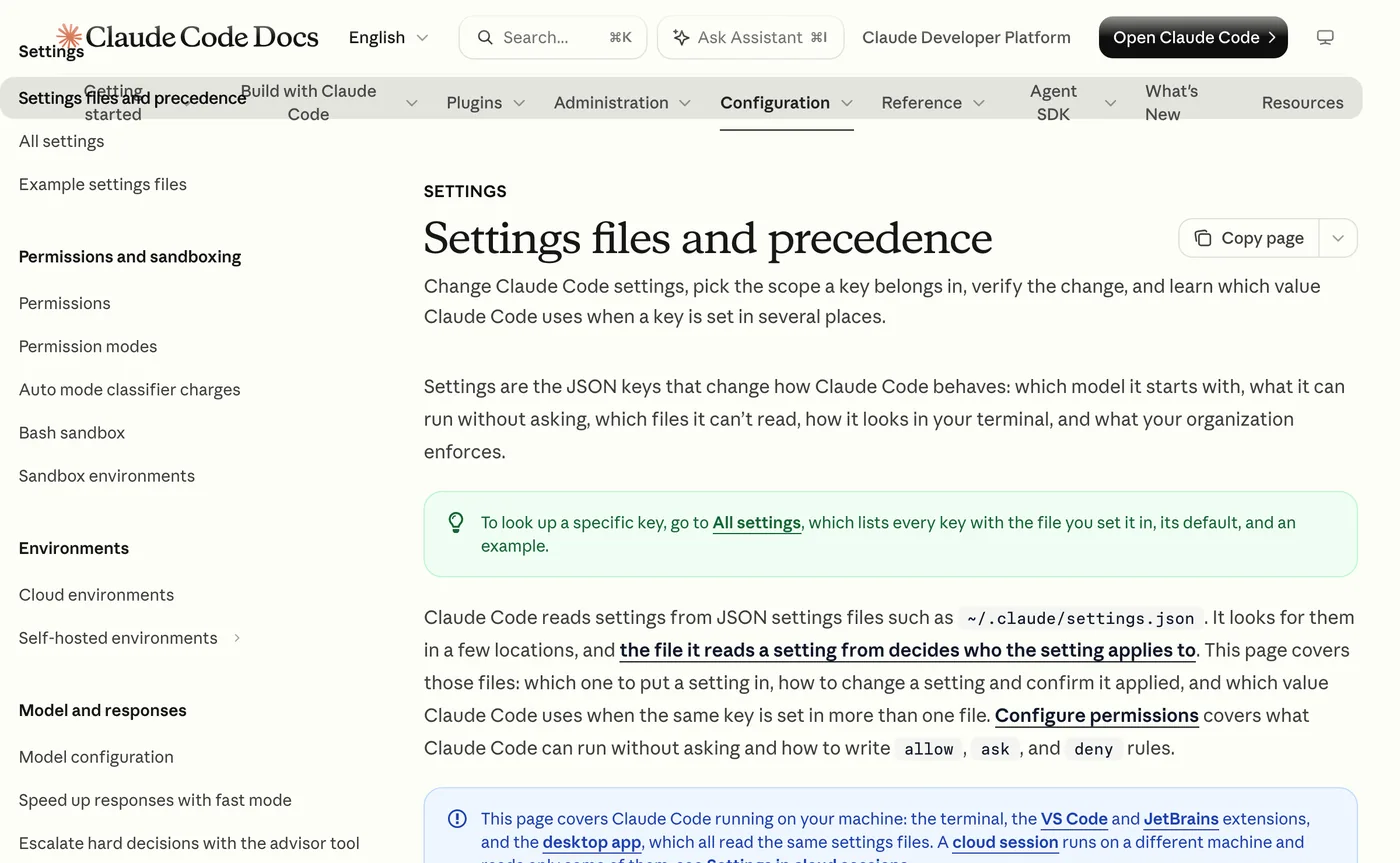
Claude Code reads its behaviour from JSON settings files, and the file a setting lives in decides who it applies to. Put team rules in the shared project file, keep personal exceptions in a local one, and let an administrator enforce policy through managed settings. The settings documentation lists four sources.
| Scope | File | Who it affects |
|---|---|---|
| User | ~/.claude/settings.json | You, in every project on your machine |
| Shared project | .claude/settings.json | Everyone working in the folder, if you commit it to git |
| Project local | .claude/settings.local.json | You, in this one project only |
| Managed | managed-settings.json and other managed sources | Everyone your organization deploys it to |
These files control which model Claude Code starts with, what it can run without asking, and which files it cannot read. Permission rules come in three kinds, allow, ask and deny, and the docs keep the exact syntax on a separate Configure permissions page, which we have not reproduced here rather than guess at it.
One behaviour is easy to miss. When Claude Code asks to run a command and you choose "Yes, and don't ask again", it saves an allow rule to .claude/settings.local.json, so a click made in a hurry becomes a standing permission. Read that file now and then. If your team shares settings, commit .claude/settings.json so everyone gets the same permissions, hooks and plugins, and each person can still override it locally.
The docs give a simple example of a personal override: the team file sets one model, and a person who wants Opus puts this in their local file, which changes only their own sessions.
{
  "model": "claude-opus-5-5"
}
Beyond settings, our own advice is plain. Work on a copy of any data you cannot afford to lose, ask for a list of every change, and keep project folders in git, because Claude Code works directly with git, stages changes and writes commit messages, which leaves a record you can read and undo. On spend, the pricing page lists user and organization spend controls only on Enterprise, so on Pro, Max and Team the limit you set is the habit of checking /usage.
Claude Code needs a person checking its work, and customer facing jobs need a different build
Claude Code works while you watch and review, which suits analysis, drafting and cleanup, and does not suit answering customer calls and messages around the clock. For that work GenovaFlow builds separate agents, and the difference is covered in what agentic AI is and how it differs from a chatbot and in when an agent should hand off to a human. If your problem is customer facing, our custom AI agents service is the closer fit.
The limits worth remembering are the ones measured above. Anthropic says per developer costs vary widely with model choice, codebase size and usage patterns, effort level moved our bill from about $4 to $148 for the same task, and the official overview describes a coding assistant, so try any non code use on a small job you can check before you trust it with a bigger one. New posts on the tool collect in the Claude Code category.
Drafted with AI help from Anthropic's documentation and pricing pages and GenovaFlow's own test notes, and checked against those sources on 23 October 2026.
Questions people ask
How much does Claude Code cost for a business?
Claude Code is included in paid plans but not Free. Per Anthropic's pricing page, Pro is $17 a month on annual billing or $20 monthly, Max starts at $100 a month, Team standard seats are $20 a seat on annual billing, and Enterprise is US$20 a seat with a 20 seat minimum plus usage at API rates. Prices exclude tax and can change.
Can business users and analysts use Claude Code without being developers?
The docs describe Claude Code as a coding assistant, but it works by editing files and running commands, so tasks like summarising a folder of notes or cleaning a CSV export fit it. The desktop app and the browser version at claude.ai/code avoid the terminal. Start with a small job whose result you can check, and ask for a list of every change it made.
Is Claude Code free?
Not on the Free plan: the pricing page marks Claude Code as not included there and included on Pro, Max, Team and Enterprise. The overview says most surfaces need a Claude subscription or an Anthropic Console account, and the costs docs say usage on the Console route is charged by API token consumption.
How do you keep Claude Code safe with company data?
Use the settings files in the right scope: commit shared permission rules in .claude/settings.json, keep personal exceptions in .claude/settings.local.json, and have an administrator deploy managed settings for policy. Review the local file, because choosing "Yes, and don't ask again" saves a standing allow rule there. Work on copies of important data and keep folders in git.
How do you see what Claude Code is costing you?
Run /usage. Its Session block shows token usage and a cost estimate computed locally at list price, and subscribers also see plan usage bars and a breakdown by skills, subagents, plugins and MCP servers. The costs docs say the figure is an estimate and that the Usage page in the Claude Console is authoritative for billing.
Sources
Keep reading
How to use Claude Code: from install to your first real task
A beginner's guide to Claude Code: install it or use the desktop app, sign in, pick a permission mode, run a first real task safely and undo it if needed.
Read the post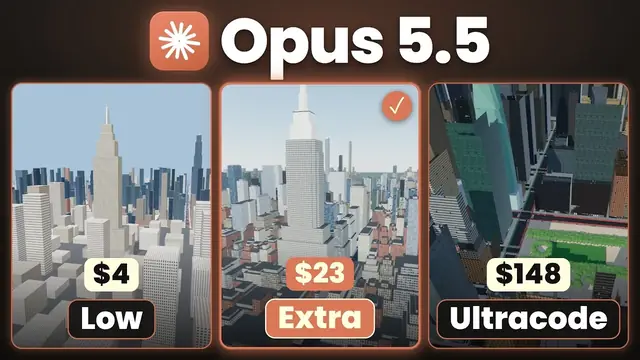
Claude Code Effort Levels Compared on One New York City Build
One prompt, six Claude Code effort levels on Opus 5.5, scored against 20 checks. The time, tokens and cost of each run, and why extra high was the value pick.
Read the post
11 Fixes That Cut Our Claude Code Token Usage by 70 Percent
Two installs, rtk and caveman, and nine built in Claude Code habits took our session from 100 percent used to 20. Each fix, its command and why it saves tokens.
Read the post